Blog
November 5, 2026
·8 min readIs 3D Product Visualisation Worth It for a Small Online Store?

Otuokon Nsikak
You run a small online store. You've invested in product photos, built your website, and started attracting visitors. Now you're considering adding interactive 3D models so customers can explore products before buying.
It sounds useful. But there's a bigger question.
Will 3D product visualisation help you sell more, or is it another expense your store doesn't need right now?
For a business working with a limited budget, that's a fair concern. Every dollar spent on 3D is money you could put towards better photography, advertising, customer service, or improving your website.
The answer depends on what you're selling and why customers hesitate to buy.
The short answer: 3D product visualisation is worth testing when customers need to understand a product's shape, size, or details before purchasing. For simpler products, good photographs and clear information may do the job just as well. The sensible approach is to test 3D on a few products before investing across your entire store.
When is 3D product visualisation worth the investment?
Think about the last time you bought something online and wished you could see it from another angle.
Maybe you wanted to check the back of a chair, examine the connections on an electronic device, or understand how large a decorative item would look on your shelf.
Those are the situations where interactive 3D can help.
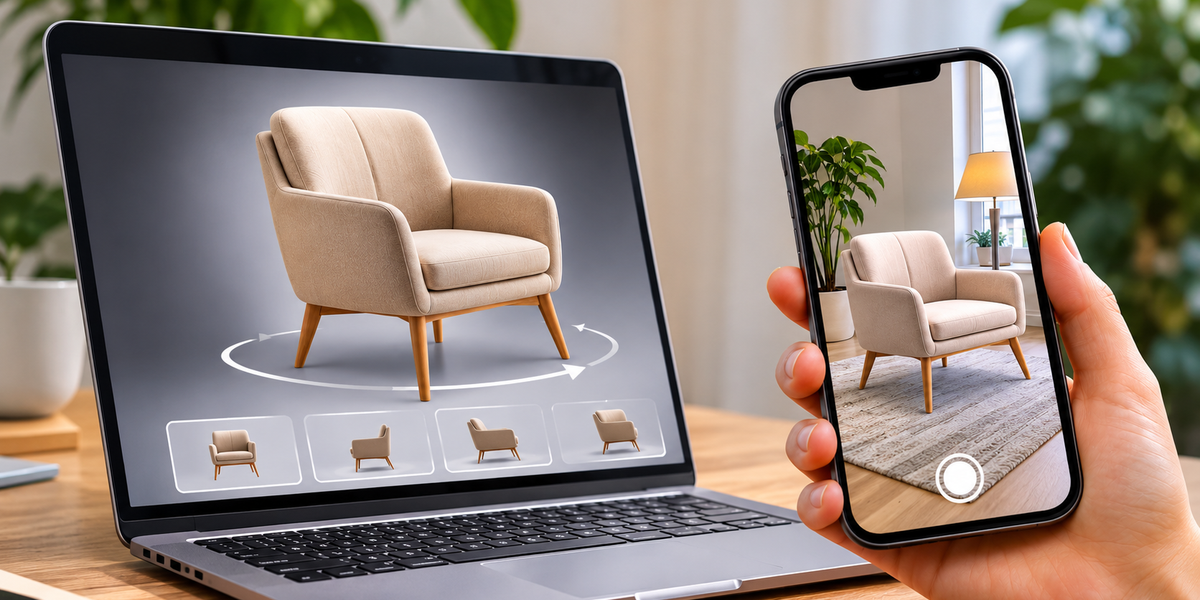
Instead of relying entirely on photographs, customers can rotate a product, zoom into details, and examine it from different angles.
For products where size and placement matter, augmented reality (AR) can go further by letting customers preview an item in their surroundings on a compatible phone.
But the benefit depends on the product.
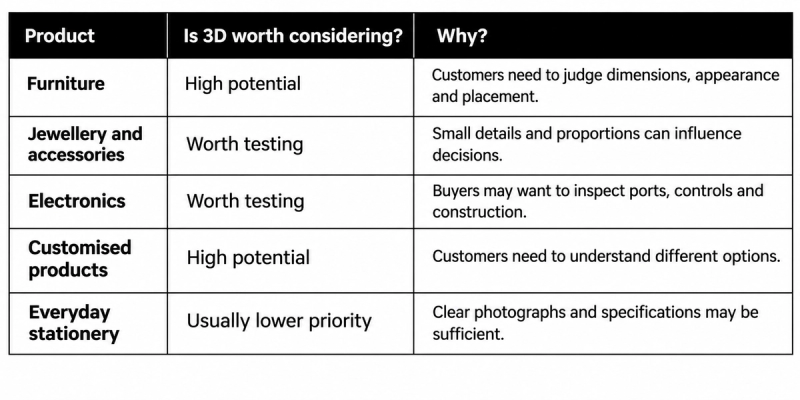
These aren't guaranteed results. They're practical starting points for deciding where 3D might add value.
If your customers already understand the product from a few good photographs, adding 3D may not change much.
How much does 3D product visualisation cost?
There are two main expenses to consider: creating the 3D model and publishing it online.
1. Creating your product models
If you already have 3D files from a manufacturer or designer, you may be able to prepare those for your website.
If not, you'll need to create them.
Professional modelling costs depend on the complexity of the product, required accuracy, materials, and number of variations.
AI-assisted tools can reduce some of the manual work, although generated models still need to be checked against the actual product.
For example, a model of a simple storage box may require less work than a detailed jewellery piece with reflective stones and intricate construction.
Don't choose the cheapest model simply because it looks convincing on screen. If customers are using it to judge the product, accuracy matters.
2. Publishing and hosting the experience
You also need somewhere to display the model and make it interactive.
SwiftXR offers tools for uploading or creating 3D content, configuring product experiences, and embedding them on ecommerce websites.
Its current Starter plan costs $25 per month, with an advertised introductory first-month price of $20 following a five-day trial.
The plan includes up to 25 published projects, core 3D and AR features, basic customer-view analytics, and monthly credits for AI-assisted tools.
You can check the latest details on the SwiftXR pricing page.
Keep in mind that a platform subscription isn't necessarily your total project cost. You may still need to prepare models, correct inaccurate assets, and maintain the content when your products change.
Will 3D actually increase your sales?
It might, but adding a 3D viewer doesn't guarantee more orders.
Suppose you're selling office chairs. Customers regularly ask whether the backrest is adjustable or how the chair looks from behind.
An interactive model could help answer those questions before they contact you or leave the product page.
Now imagine you're selling basic notebooks with clear photographs, dimensions, and descriptions.
Customers may have very few unanswered visual questions. A 3D model could add little to their decision.
That's why the useful question isn't simply whether 3D increases conversions.
It's whether your particular customers need information that 3D can communicate better.
And remember, a customer spending longer on a 3D model doesn't automatically mean they're more likely to buy.
You need to look at what happens after they interact.
How to test 3D without spending too much
You don't need to turn your entire catalogue into 3D to find out whether it's useful.
Start with a small pilot.
Step 1: Choose one to three products
Look for products that receive plenty of attention but generate questions about size, shape, finishes, or important details.
A higher-priced product with recurring buyer uncertainty may be a stronger candidate than your cheapest or most popular item.
Step 2: Create one useful experience
Focus on the customer question you're trying to answer.
If people want to see the back of a product, an interactive 3D viewer may be enough.
If they're concerned about room placement, consider AR.
Avoid paying for elaborate features that don't help customers decide.
Step 3: Add it to your existing website
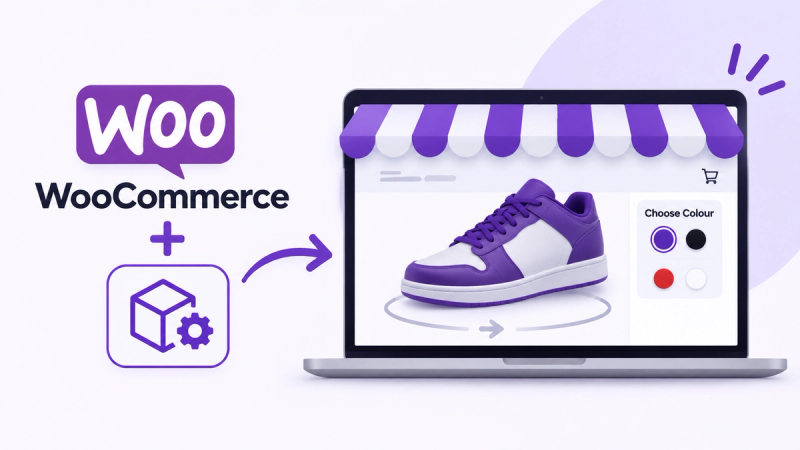
SwiftXR allows businesses to publish interactive 3D viewers and embed them on platforms such as Shopify, WooCommerce, Wix, and other websites.
You can upload a model, adjust its presentation, and publish the experience without building a custom 3D viewer from scratch.
Keep your existing product photographs and descriptions. The 3D experience should complement them.
Step 4: Measure what changes
Compare performance before and after introducing 3D, ideally using a controlled test that accounts for differences in traffic and promotions.
Pay attention to product-page conversions, add-to-cart rates, relevant customer questions, and returns where reliable data is available.
SwiftXR provides basic customer-view analytics on Starter and fuller analytics dashboards on Pro and Business. Purchase outcomes may require connecting your ecommerce tracking.
If customers use the viewer but buying behaviour doesn't improve, investigate why before expanding.
Step 5: Decide whether to expand
If the pilot gives you evidence that 3D is helping customers make better decisions, consider adding it to similar products.
If the results are weak, you may be better off improving your photographs, product information, or checkout experience.
A small experiment should help you make that decision without committing your entire budget.
When should a small store skip 3D?
There are times when 3D simply shouldn't be your first investment.
If your product photographs are poor, your descriptions are incomplete, or customers regularly complain about unexpected delivery costs, fix those problems first.
The same applies if your checkout is confusing or your website loads slowly.
3D won't solve those issues.
You should also think carefully before investing in models for low-margin products that customers already understand easily.
A simple demonstration video or a better set of photographs may deliver more value for less money.
And if adding 3D makes your product page noticeably slower, the experience could create more frustration than confidence.
The priority is helping customers buy, not making your website look more sophisticated.
Where SwiftXR fits for small ecommerce businesses
SwiftXR gives businesses a way to create and publish interactive 3D product experiences without hiring a development team to build a custom viewer.
You can start with an existing 3D model, explore AI-assisted creation tools, configure the experience visually, and embed it on your product page.
Customers can rotate and inspect the product directly in their browser, with AR available where the experience and device support it.
For a small store, the useful part is being able to test one product before committing to a larger rollout.
The platform handles the interactive presentation and publishing workflow, while you decide whether the result is valuable for your customers.
Frequently asked questions
Is 3D product visualisation expensive for small businesses?
It depends on the models you need and the platform you use. Simple products and existing 3D assets can make a pilot more affordable. Complex modelling and large catalogues increase costs.
Do I need 3D models before getting started?
Not always. SwiftXR includes AI-assisted creation tools, and you can also upload existing models. Any generated asset should be checked for accuracy before publication.
Can I add 3D product views to Shopify?
Yes. SwiftXR supports embedding interactive 3D experiences on Shopify and other ecommerce websites without rebuilding the entire store.
Will 3D product visualisation reduce returns?
It may help prevent returns caused by misunderstandings about appearance, proportions, or scale. However, it won't solve returns caused by defective products, incorrect orders, or delivery problems.
Should I replace my product photos with 3D models?
No. Good photographs remain important for quickly communicating what a product looks like. Interactive 3D adds another way for customers to explore details when they need more information.
Start with the product that needs it most
If you run a small online store, you don't need 3D everywhere.
You need it where it solves a genuine customer problem.
Choose a product that shoppers struggle to understand from photographs. Create a useful interactive experience, test it on your website, and measure whether it improves the buying journey.
If it works, expand gradually. If it doesn't, put your budget where it will do more good.
With SwiftXR, you can test interactive 3D and AR experiences without building your own software.