Blog
September 7, 2026
·5 min readIntroducing The SwiftXR Assistant: Edit and Configure 3D Products With a Prompt

Otuokon Nsikak
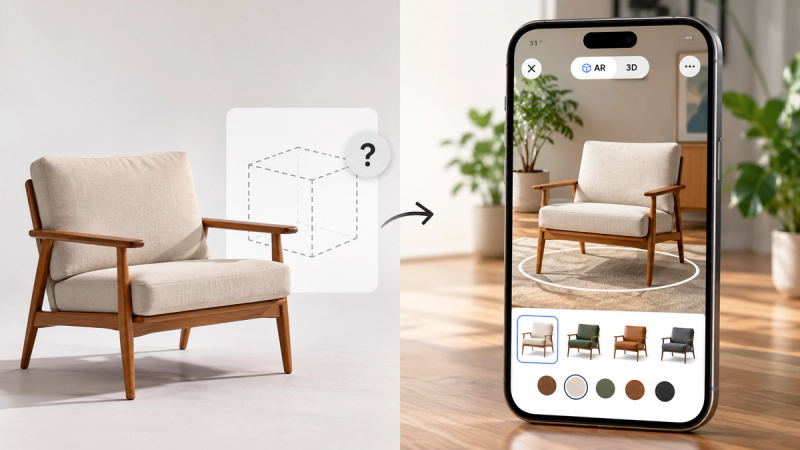
There is a particular kind of silence that happens after a product model finishes uploading.
The progress bar fills. The file lands. And then, for a lot of teams, nothing happens for a while. Not because the work is done, but because the next step lives somewhere unfamiliar: a settings panel with more options than the task deserves, a material list with no obvious place to click, a shape on a screen that needs to become a particular shade of blue with no clear path to get there.
We built something for that exact problem.
SwiftXR AI Assistant is live. You can describe a product from scratch and watch it appear as a starting 3D model, or bring in one you already have, and either way, edit and configure it by describing what you want, in the same words you'd use to explain it to a colleague.
The stall was never about the model
It's worth naming the problem precisely, because it isn't the one people usually blame.
For teams that already have a model, the hard part rarely starts at the model itself. It's the gap between "make the legs black" and knowing which panel controls leg colour. It's the difference between having an idea and having the specific technical vocabulary that idea currently requires.
That gap has a name inside product teams, even if nobody says it out loud: the stall. The place where a finished upload quietly becomes an unfinished project. Not from lack of intent. From distance: the distance between what a person means and what the software needs to hear.
Every extra click in that distance is a small tax on momentum. Enough of them, and the momentum doesn't survive.
What changes with a prompt
SwiftXR AI Assistant closes that distance directly. You describe the outcome. The editor gets you there.
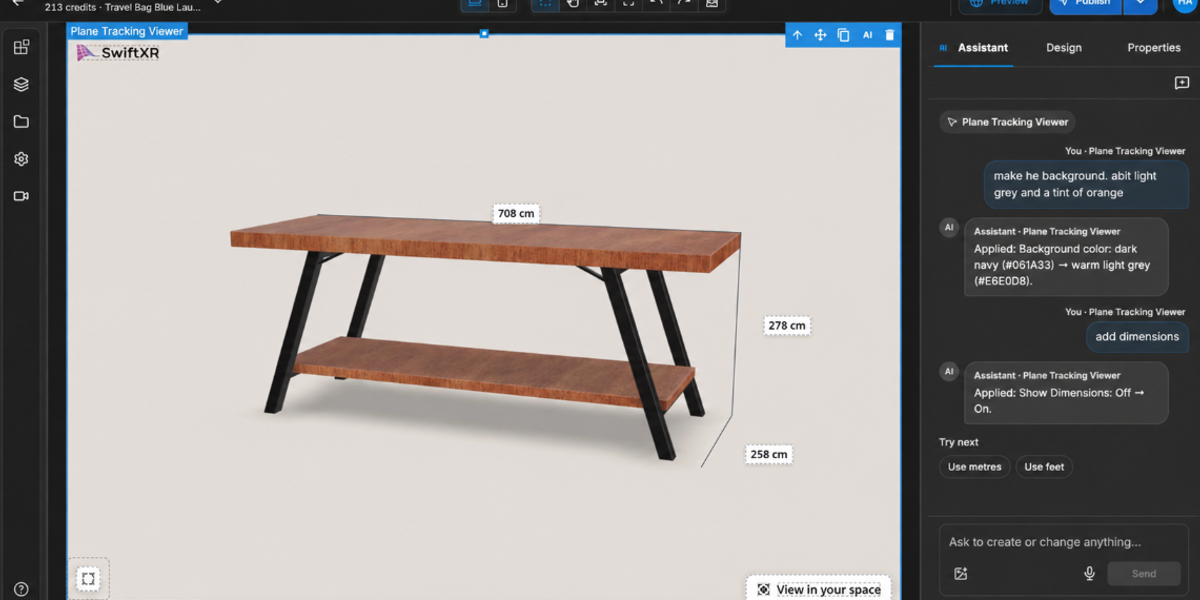
"Change the upholstery to navy velvet." "Make only the legs matte black." "Show every measurement in centimetres."
Each of these is not a technical instruction so much as a decision already made, by a merchandiser, a product marketer, a founder who knows exactly what the product should look like and simply hasn't wanted to go hunting for the setting that gets it there.
The Assistant reads the request the way a colleague would, resolves it into the relevant action inside the editor, and puts the result in front of you to review. Nothing publishes without a look first. Nothing overrides your judgement. The prompt does the searching. You still do the deciding.
This is the part worth sitting with, because it's easy to undersell: the value here was never really about typing instead of clicking. It's about how many more ideas survive the trip from your head to your product page when the trip gets shorter. A colour test that used to feel like a production request becomes a sentence and a few seconds of waiting. A market-specific tweak that used to need a queue becomes something you do before your coffee's finished. Ideas that would have died quietly at "not worth the hassle" now make it all the way to review.
The work still ships the same way
Here's what doesn't change, and we think it matters as much as what does.
Once you're happy with a result, it becomes a viewer, an AR experience, a link, an embed, a product page, exactly the way it always has inside SwiftXR. The Assistant is not a separate product bolted onto the side of your workflow. It's a faster way into the workflow you already trust. Nothing about publishing, hosting or performance changes underneath it.
We're saying this plainly because we know the shape of AI launches by now, and we suspect you do too. A lot of them arrive dressed as a revolution and turn out to be a rebrand. We didn't want to build that. We wanted to build the thing that removes the one step that was actually in your way, and leave everything else precisely as capable, and precisely as yours to control, as it was before.
Questions? Book a call or join the community on Discord.
FAQ
What is SwiftXR AI Assistant? A feature inside the SwiftXR editor that lets users create, edit, and configure 3D and AR product experiences using natural-language instructions instead of manual technical controls.
Do I need a model to start, or can the Assistant create one? Both work. Describe a product and the Assistant generates a starting 3D model, or upload one you already have. Either way, you keep describing changes, materials, colour, measurements, and the Assistant applies them directly.
Does it replace the need for 3D specialists? No. It reduces routine configuration work, materials, variants, measurements, optimisation, so specialists can focus on complex modelling and art direction.
What kind of requests work best? Specific, scoped instructions naming a component, a desired state and any constraint, for example "change only the tabletop to white marble." Vague requests produce vague results.
Does publishing change with the Assistant? No. Once a result is approved, it publishes through the same viewer, AR, link and embed workflow SwiftXR has always used.