September 11, 2026
·8 min readHow to Add a 3D Model to Webflow Without Mixing Up CMS Products

Otuokon Nsikak
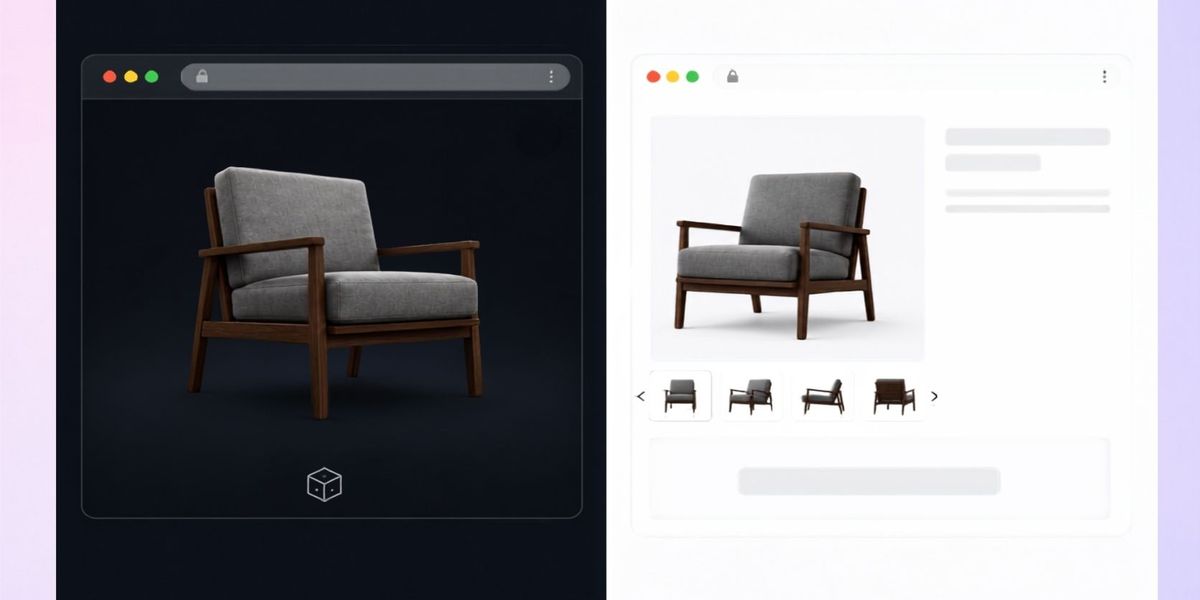
To add a 3D model to Webflow with SwiftXR, publish the model as a SwiftXR experience and place its generated embed in a Webflow Code Embed element. For a CMS catalogue, connect each product page to its own approved experience. Check the published pages before extending the template across the range.
The important distinction is between displaying a model and displaying the correct model. A working viewer can still show yesterday's product, the wrong finish, or the same sample on every page. For a marketing team or agency delivering a B2B catalogue, that is a product-information problem even when the embed loads perfectly.
Our recommendation is to prove one static product page first, then test the CMS mapping with visibly different products. SwiftXR manages the 3D experience; Webflow manages the page and its content relationships. Treat that relationship as something to approve, not something a successful preview proves.
Start with one product and a clear ownership split
This guide is for Webflow site owners, product marketers, and agency teams adding interactive inspection to product pages. It assumes an approved model exists. It does not cover creating accurate geometry or building custom order logic.
SwiftXR's 3D model viewer supports rotation, zoom, presentation controls, website embedding, and AR routes on supported devices. The Webflow integration page describes the managed embed approach.
Choose a product where another viewing angle answers a real pre-sale question. For a commercial chair, that might be the back construction or the shape of the arm. Keep dimensions, materials, ordering information, and the enquiry route in the ordinary page content too.
Before building, agree which person approves the model and which person approves the Webflow page. A designer can confirm that the viewer fits the layout. A product owner still needs to confirm that the object represents the item being sold.
Check Webflow access before promising an embed
Webflow's current Code Embed documentation lists eligible paid Workspace plans or an active Site plan as routes to the feature. Check the actual site's access before committing the delivery date. Do not assume that every free site has it.
The documentation was updated on September 2, 2026. That makes it a useful current reference for a new implementation, rather than relying on an old screenshot or a remembered plan rule. It does not establish that the feature itself is new.
Confirm access in the client's project, along with permission to publish and a suitable test destination. An agency's own working setup is not evidence that the handover project has the same capabilities.
Publish and approve the SwiftXR experience
Use the official SwiftXR Webflow guide for the project-side workflow. Create the project, import the model, configure the presentation, and publish it. Then use the sharing controls to copy the generated embed.
Open the standalone experience before adding it to Webflow. Compare it with the approved product source. Look at the initial angle, important surfaces, orientation, and scale. If AR is part of the brief, check that separately on the devices you intend to support.
Record the approved experience URL beside the product's identifier. Give the record a meaningful product name and revision. Avoid relying on a browser tab title or someone's recollection of which project was the final version.
If the standalone experience is wrong, resolve that approval before investigating Webflow. A correctly pasted embed will not correct an inaccurate model.
Add the first embed to a static Webflow page
In Webflow, add a Code Embed element to the page, paste the complete generated SwiftXR embed, then save and close. Use the current Webflow Code Embed editor for the host-page step. SwiftXR's integration guide also describes an iframe-and-attributes route; keep the generated markup intact rather than mixing parts of those approaches.
Give the experience a deliberate area in the layout. Check its parent container as well as the embed's dimensions. A model should not disappear into a short strip or push the enquiry button out of reach on a phone.
Webflow notes that some embedded content only appears on the live site. Publish to your test destination and open the resulting URL outside the Designer. A successful editor preview is useful, but it is not the acceptance test.
Ask a colleague to find the product detail you chose at the start, then continue to the specification or enquiry action. Observe whether the 3D view supports that task without obscuring the rest of the page.
Connect CMS pages to the right experience
For a catalogue, define a product-to-experience mapping before changing the shared template. One proposed record contains the product identifier, approved experience URL, model revision, and approval owner. This is a working record for your team, not a claim that SwiftXR supplies a catalogue synchronisation feature.
Webflow's dynamic embed documentation supports referencing Collection fields from an embed placed on a Collection page or inside a Collection list. In the code editor, put the cursor at the value to bind, open the purple connect control, select the field, and save.
For an iframe-based implementation, the web team can use that mechanism to supply each item's approved experience address while preserving the rest of the generated embed. Validate this adaptation against a working static embed before rolling it out. It is an implementation pattern combining the two documented mechanisms, not a verified automatic SwiftXR-to-Webflow connector.
Test a pair of products that are easy to distinguish. Open both published URLs and compare each title, product identifier, model, and next action with the approved mapping. Then test an item that has no approved 3D experience. Keep useful still imagery and written information available; decide explicitly how that page should behave.
Do not publish a catalogue-wide template because the first item works. The first item proves one relationship. The second and the missing-model case expose assumptions in the template.
A CMS binding is not a variant connection
Webflow explicitly says that dynamic embeds using Ecommerce fields do not update when a visitor changes the selected variant. A product-page binding therefore does not, by itself, prove that a 3D view follows a finish or size selector.
Suppose a chair page opens with an approved grey model. If a visitor selects a blue option, ask what the viewer actually does. Do not infer synchronisation from the fact that the page title and initial model agree.
If the buyer only needs to inspect a fixed product, state what the viewer represents. If changing visible options is essential, scope and test that interaction separately. The SwiftXR configurator page describes supported visual configuration capabilities.
Do not promise that a visual choice creates the right cart item, price, or quote without evidence from the actual implementation. The website's commercial records and the 3D presentation must agree, but the embed alone does not establish that agreement.
Diagnose the failing layer
When the standalone experience fails, investigate the project or asset first. When it works alone but disappears inside Webflow, compare the generated markup, container size, published destination, and the actual value supplied by the page.
When every page shows the same model, inspect whether the template still contains a fixed experience address. When one product works and another does not, compare their CMS values with the approved record. These are diagnostic questions, not guarantees about the cause.
For mobile problems, test the complete page with its normal images, navigation, consent controls, and other embeds. Capture the page URL, device, browser, expected product, and observed behaviour so the responsible team can reproduce it.
Keep the scope measurable: the correct product appears, the important detail is inspectable, the page remains usable, and the next action works. Passing those tasks is a release decision. It is not proof of higher conversion or fewer returns.
Common questions
Do I upload the 3D file directly into Webflow?
In this workflow, the model is published through SwiftXR and Webflow embeds the resulting experience. The Webflow page is the destination; it does not replace the project-side model approval.
Can every CMS product use a different model?
Webflow can bind Collection fields into custom embeds. Use a verified product-to-experience mapping and test the published result for each item in scope. This does not imply automatic synchronisation with SwiftXR projects.
Does the model follow a selected Ecommerce variant?
Not from a dynamic field binding alone. Webflow documents that limitation. Treat variant-dependent 3D and commerce behaviour as a separate integration requirement.
What should we hand over after launch?
Give the site owner the approved mapping, test URLs, known limitations, and the names of the people responsible for model and page changes. Recheck the relationship whenever either side changes.
Bring one real page to the implementation discussion
Bring an approved product model, the intended Webflow page or Collection template, and the buyer question the model should answer. Book a SwiftXR demo to review the experience and embed route before extending it across the catalogue.