September 9, 2026
·8 min read3D Product Viewer vs Configurator: When Is a Viewer Enough?

Otuokon Nsikak
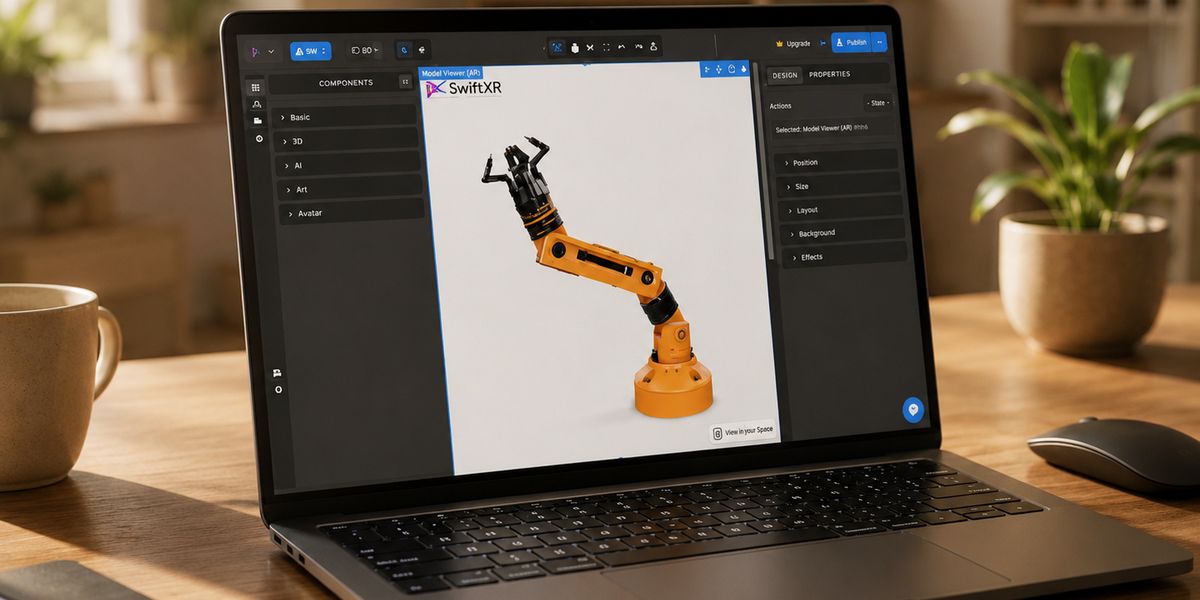
A 3D product viewer helps a buyer examine a product. A 3D product configurator lets the buyer change supported options and see the result. Choose a viewer when inspection answers the buying question. Choose a configurator when comparing or selecting options is part of that question.
For ecommerce and product-marketing teams, the practical issue is scope. A catalogue can need interactive 3D without needing a configurator on every product. Equally, a product with meaningful visible choices may need more than a rotatable model beside an unrelated dropdown.
Our recommendation is to identify the unanswered buyer question first, then add the smallest interaction that answers it. Use the same product to test both experiences before committing the whole catalogue.
Start with the question your product photos cannot answer
Imagine a business selling commercial task lamps. One lamp has a fixed finish and a distinctive cable connection. Another comes with several approved shade and base finishes. A third has a choice of mounts that changes where it can be installed.
These are illustrative examples, not SwiftXR customer results. They show why one media brief may not serve every product.
For the fixed lamp, a buyer might simply need to see the connection from behind. For the finish range, the question becomes what a particular combination looks like. For the mounting options, the team must also explain compatibility outside the visual experience.
SwiftXR offers a 3D model viewer for browser-based rotation, zoom, supported AR, and website embedding. Its 3D product configurator adds supported colour, material, and finish changes. These are different starting points for a product experience, not a requirement to configure every item.
What does a 3D product viewer do?
A viewer presents a model for inspection. The product team decides what the model represents and which views or details matter. Buyers can then explore the approved presentation instead of relying only on fixed photographs.
Use this route when the buyer needs to understand shape, construction, visible detail, or how a single product looks from another angle. Keep photographs, written specifications, and other necessary evidence alongside it.
A viewer can be interactive without being a configurator. Rotation, zoom, hotspots, and an AR route do not necessarily mean that the buyer is selecting a different product.
This distinction matters in procurement. Ask a supplier to demonstrate the buyer task, not simply list interactive features. A compelling spin animation does not establish that a visitor can select or communicate a required option.
What changes when you add a configurator?
A configurator introduces choices that change the presentation. The team must decide which options to show, how to name them, and how to keep the displayed result consistent with the actual product range.
For the lamp example, that could mean offering approved shade and base finishes. The buyer should understand which component changes and what the selected finish is called.
The additional work is not only adding buttons. Someone must approve the option set, check each visual state, and decide what happens after the buyer has made a choice.
A visual selection is not automatically a saved order, an accurate price, or an approved engineering specification. Those outcomes depend on the implementation. Confirm the handoff with the relevant commerce or sales system before promising it. Our configurator versus CPQ guide covers that separate commercial-system decision.
Compare the experiences using the same product
A useful evaluation asks the same questions of both prototypes.
Buyer question
Viewer: can the person inspect the relevant part of this product?
Configurator: can the person compare or choose the relevant visible options without losing track of what they selected?
Do not make an interaction available only because the software supports it. Each control should help answer a buying question.
Required assets
Viewer: one approved product state may be enough for the initial experience.
Configurator: the team also needs the materials, components, or other assets required to represent every option included in scope.
Several options do not necessarily require several complete models. The asset approach depends on what changes. Ask the implementation team to demonstrate the proposed method with the real source files.
Acceptance evidence
Viewer: check whether important details are visible and whether the model matches the approved product.
Configurator: repeat those checks for the supported choices, then verify that labels and visible states agree.
Use approved physical samples or maintained reference material where appearance matters. A screen preview should not be presented as a substitute for every material, fit, or installation check.
Next action
Viewer: the buyer may continue to the specification, contact sales, or use the product page's existing purchase route.
Configurator: the buyer should understand whether the selection is a visual preview, a request to sales, or an input to ordering.
For either route, test the next action rather than ending the demonstration at the attractive 3D view.
When a viewer is enough
Choose a viewer for the first release when the product is fixed, the unanswered question is visual, and the existing product page already handles the buying action adequately.
For the fixed lamp, the test might be straightforward: can a buyer find the cable entry, understand the base shape, and return to the written dimensions without assistance? That is a proposed acceptance task, not a performance claim.
A viewer may also be appropriate for individual variants that already have separate product pages. If the site's existing variant selection works well, the initial task can be to keep the correct model aligned with the selected page or product. Confirm that behaviour in the actual implementation.
Do not introduce another set of controls that contradicts the store's existing selection. Two interfaces that disagree can make the buying decision harder.
When a configurator earns its place
Choose a configurator when seeing the effect of an option is essential to comparing or choosing it.
In the finish example, the buyer may need to compare a pale shade with a dark base against the reverse combination. Separate photographs or swatches may still be useful, but an approved interactive preview can put the combination in one view.
Before scoping the experience, separate visible differences from non-visible facts. A finish can be represented visually. A delivery estimate or electrical rating must come from maintained product information, even if the interface displays it nearby.
Also distinguish appearance choices from spatial or engineering choices. Changing a colour is not evidence that a product supports arbitrary dimensions, valid component dependencies, or automatic clearance calculations. Verify those requirements individually with the provider.
Can one catalogue use both?
Yes. Use product-level needs to decide which experience belongs where.
A fixed-product range can use viewers. A range with meaningful finish combinations can use configurators. A product that buyers need to see at scale may also benefit from supported AR, whether or not it is configurable.
Treat AR as a separate question: does placing the approved model in the buyer's environment help them evaluate it? Device support, scale, lighting, and the surrounding space still need testing. An AR preview is not an installation certificate or a guarantee of fit.
Keep the surrounding page consistent across these routes. Product names, option labels, specifications, help, and the next action should still feel like parts of one buying journey.
A focused way to make the decision
Bring one product, its approved assets, and several real pre-sale questions to a short evaluation.
First, demonstrate how a viewer answers those questions. Note any question that remains unresolved because the buyer cannot change a meaningful visible option.
Next, demonstrate only the configurator choices needed to address those gaps. Ask someone outside the project to describe the selected product and take the intended next action.
Finally, compare what each experience requires the team to maintain. Name the person responsible for visual assets, the person responsible for option labels, and the person responsible for the destination product or sales record.
This is a scope test, not proof of conversion lift. If a pilot proceeds, measure the commercial outcome separately from interaction counts.
The right first release is the one that answers the buyer's question and can be maintained reliably. It need not be the most elaborate demonstration.
Common questions
Does a 3D viewer need a configurator to support AR?
No. SwiftXR's viewer offering includes an AR route. Evaluate the product model and supported devices separately from whether the product needs configurable options.
Is a configurator always better for products with variants?
No. If separate pages or existing selectors already communicate the variants clearly, a viewer may address the remaining inspection need. A configurator is more useful when the combination itself needs to be understood visually.
Can we start with a viewer and expand later?
You can plan a phased scope, but do not assume every first-stage asset will support every future option. Tell the provider which materials or components may change and confirm the asset and integration work required for the next stage.
What should we bring to a SwiftXR demo?
Bring an approved model or source asset, a list of real buyer questions, the supported product options, and the intended website or sales destination. That makes it possible to discuss a concrete experience rather than a generic feature list.
Book a SwiftXR demo to evaluate whether one representative product needs a viewer, a configurator, or a phased combination.