Blog
February 12, 2026
·3 min readThe Best Way to Reduce Returns and Increase Confidence in Online Shopping

Chidinma Uzor
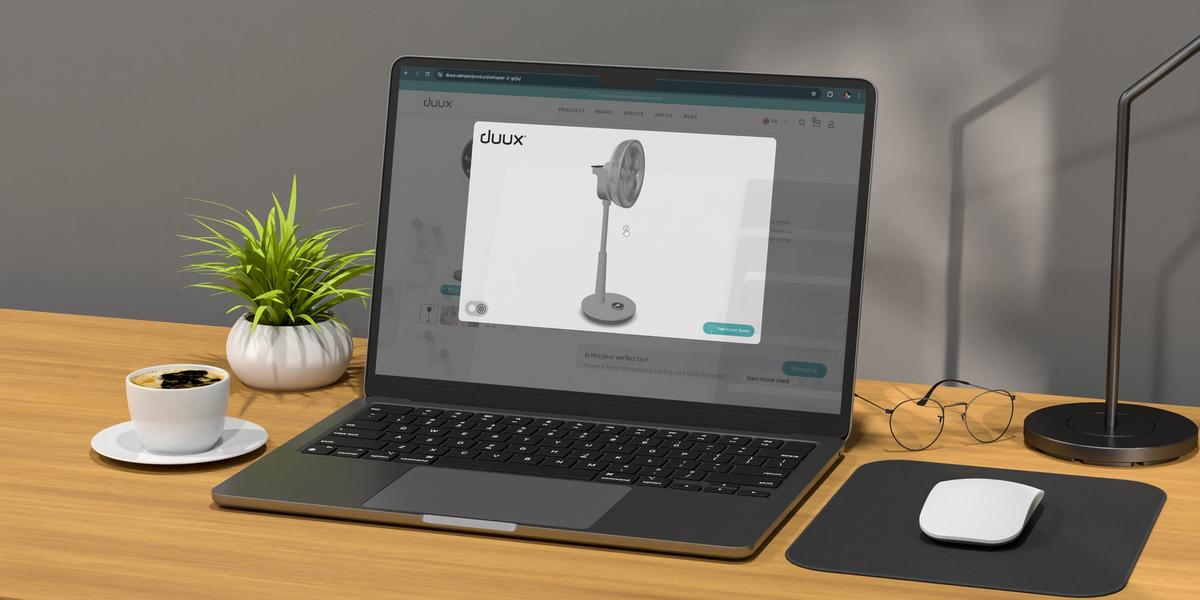
Imagine this.
A customer lands on your product page. They like what they see. The photos are clean. The description is strong.
They scroll.
Then they pause.
They start asking silent questions:
- What does this look like in black?
- Is the wood finish darker in real life?
- How do these two features look together?
- Is it bigger than it appears?
They hesitate.
And hesitation is where online sales begin to slip away.
The Real Problem with Static Product Pages
Most e-commerce stores still rely on static images.
One image for red. Another for black. A few extra angles if available.
But static photos have limits. They cannot fully show:
- How materials really look
- How colours change under lighting
- What feature combinations look like together
- How proportions feel from different angles
So customers are left to imagine.
And when customers have to imagine, they guess.
Guessing creates doubt.Doubt creates hesitation. Hesitation lowers conversions.
Even worse, when expectations don’t match reality, returns increase.
The issue isn’t that customers don’t want to buy. The issue is that they don’t feel certain.
What Happens When Customers Can See Everything?
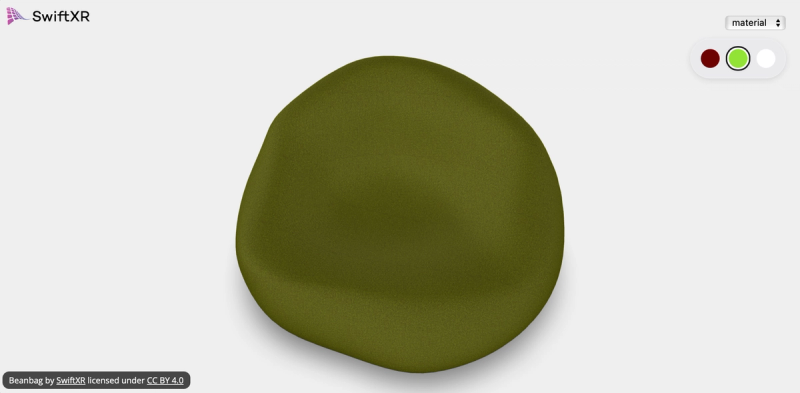
Now imagine a different experience. The customer clicks a colour option. The product changes instantly.
They switch materials. Add a feature. Rotate the product.Zoom in.
Everything updates in real time.
There is no need to imagine how brushed silver compares to matte black.No need to wonder how two options look together.
They can see it clearly.
This is what a 3D product customisation does.
It removes uncertainty.
Making 3D Product Customisation Easy for Your Store
Bringing 3D product customisation to your website does not have to be technical or overwhelming. Today, platforms like SwiftXR are designed to make the process simple for e-commerce brands that want to upgrade their product pages without rebuilding everything from scratch.
Instead of hiring a full development team or investing in complex infrastructure, you can integrate a 3D customisation in a few steps.
Step 1: Create a 3D Project
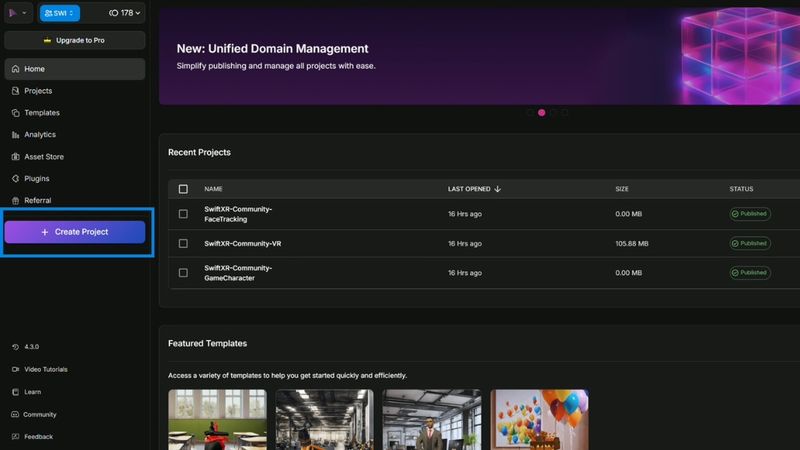
Sign in to swiftxr.io/hub and select the “Create Project“ button to open the canvas where you can begin building and customising your 3D experience.
Step 2: Choose the Appropriate Component
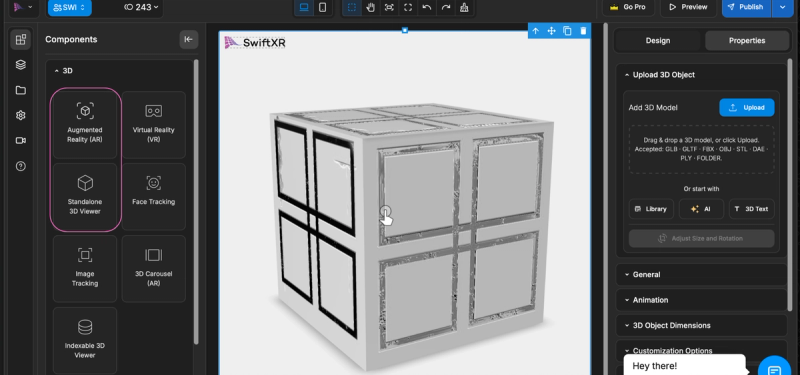
Choose the Augmented Reality (AR) or Standalone 3D Viewer, depending on your needs.
Step 3: Add Your 3D Model
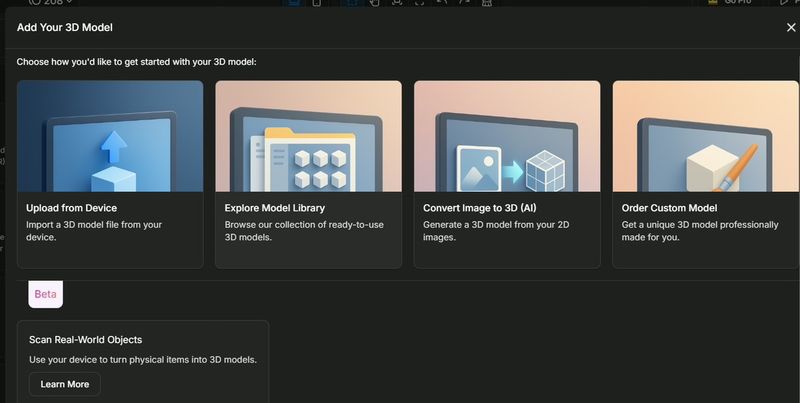
Upload a 3D model of your product directly from your device, choose a free model from the SwiftXR store, or request a custom-built model tailored to your product.
Step 4: Customise the 3D Model of Your Product
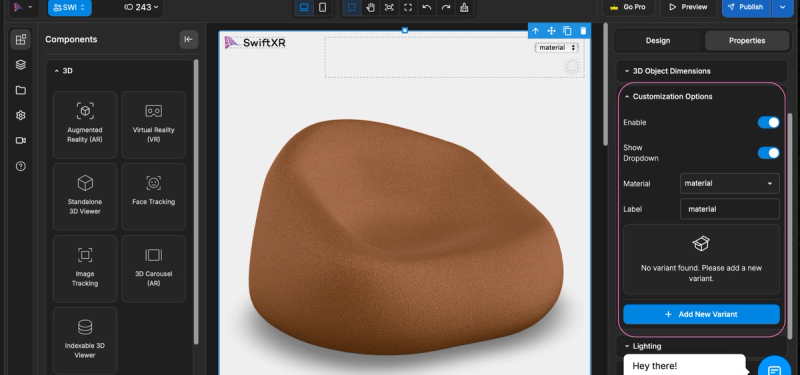
Place the model onto the canvas and begin defining the customisation options, including colour variants, finishes, and additional features.
Step 5: Publish and Share Your Customised Product
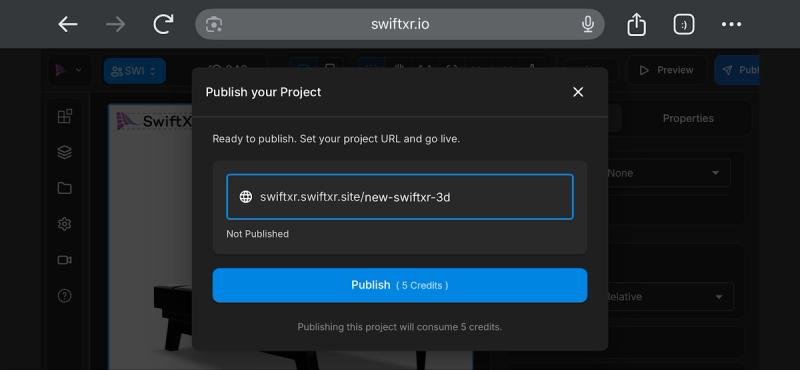
Once your product customisation is complete, click Publish to make it live.
Conclusion
When customers can explore, rotate, and personalise a product instead of relying on static images, they understand exactly what they’re purchasing. Clearer expectations lead to fewer surprises, and fewer returns.
3D product customisation transforms how customers experience products online. Instead of guessing, shoppers can see, customise, and visualise with confidence.
Start building and publishing interactive 3D product experiences in minutes:👉 https://swiftxr.io/hub