Blog
February 22, 2026
·4 min readReduce Returns with AR: Let Customers Visualize Products in Their Own Space

Chidinma Uzor
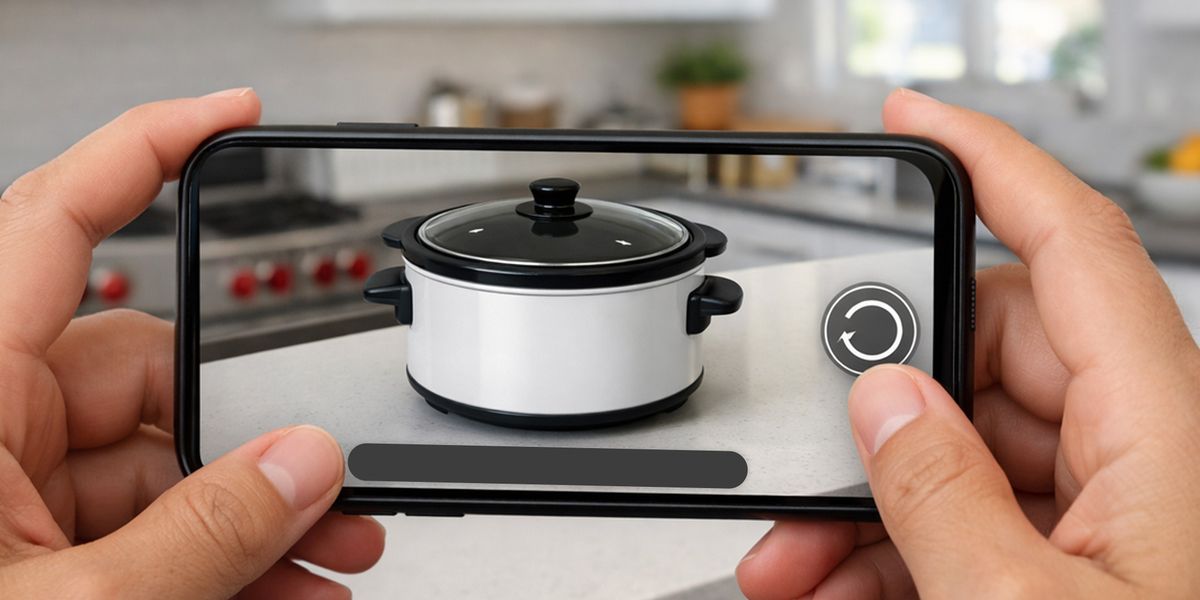
There was a time when augmented reality felt like something reserved for tech giants and experimental labs. It lived behind app stores, development teams, and complicated software stacks. If you wanted to build AR, you needed engineers, budgets, and time.
That version of reality is gone.
WebAR has quietly changed the rules. It has taken something that once required native apps and heavy development cycles and reduced it to something far simpler: a browser experience. No downloads. No code. No friction between curiosity and interaction.
The real shift is not technical. It is cultural. AR is no longer a developer’s playground. It is becoming a marketer’s, a founder’s, an educator’s tool.
The Myth of Technical Complexity
For years, AR development demanded game engines, SDK integrations, device optimization, and app store approvals. The barrier to entry was high enough that most businesses didn’t even consider it. If you didn’t have an internal technical team, AR simply wasn’t an option.
That history created a lasting misconception: that augmented reality is inherently complex.
But complexity was a product of infrastructure, not of the medium itself.
The web has absorbed that infrastructure.
Just as websites once required specialized engineers and now can be built by anyone using modern platforms, AR is following the same trajectory. The heavy lifting is happening behind the scenes. What remains visible to the user is simplicity.
The question is no longer, “Can we build this technically?”
It’s, “What experience do we want to create?”
WebAR Removes the Last Barrier
WebAR works directly inside the mobile browser. A user scans a QR code or taps a link, and the experience opens instantly. There is no download prompt, no storage warning, no onboarding sequence. The interaction begins immediately.
That single shift changes adoption entirely.
The biggest problem AR faced was never imagination. It was friction. When users had to install an app just to see a product in AR, curiosity often stopped at the app store page. WebAR removes that pause.
For businesses, that means AR can finally operate at the speed of attention.
How to Create WebAR Content with SwiftXR
Creating WebAR content with SwiftXR is far simpler than most beginners expect. The key is to start with a clear objective and keep your first experience focused and intentional.
Below is a practical, step-by-step guide to help you get started.
Step 1: Get Started with SwiftXR

Visit the SwiftXR website and create an account. Once registered, log in to access your dashboard. This is where you’ll manage and build your WebAR projects.
Step 2: Choose Your Project Type
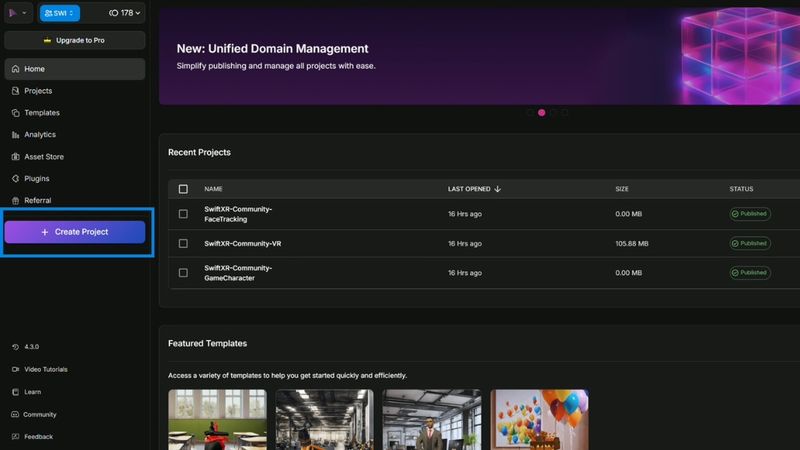
Click on “Create Project” to open the canvas. This is your working space, where you’ll design and structure your augmented reality experience.
Step 3: Add the Augmented Reality Component
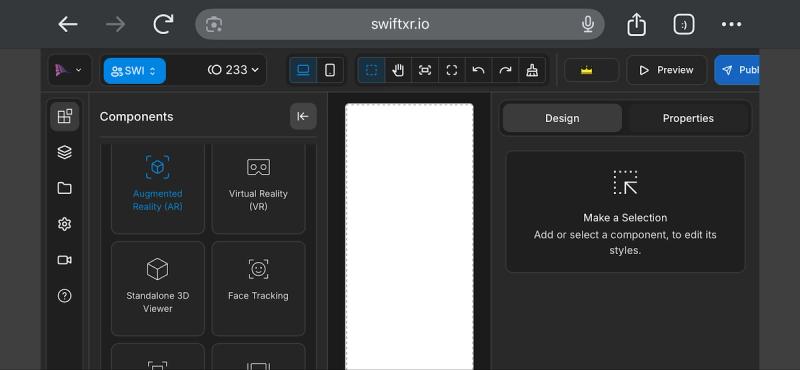
Within the editor, select the Augmented Reality (AR) component to begin building your experience. This activates the AR environment where your 3D content will appear.
Step 4: Upload Your 3D Model
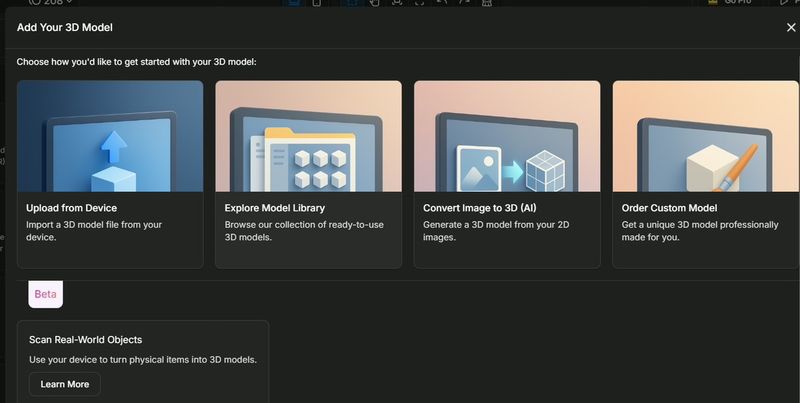
Import your 3D model directly from your device, or browse free models available in the SwiftXR store. If you need a custom asset, the SwiftXR team can create one tailored to your product or campaign.
Step 5: Build and Customise Your AR Experience
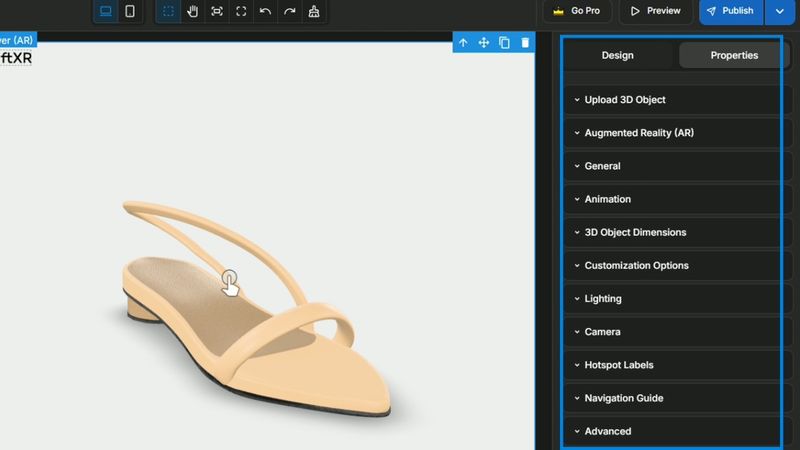
Once your assets are uploaded, you can begin designing the experience using the Design > Properties panel.
Here, you can:
- Add hotspots to highlight key product features
- Adjust colours and materials
- Modify scale and positioning
- Introduce interactive elements
Keep your first project simple. Avoid adding too many interactive layers, as excessive elements can overwhelm users and dilute the experience.
Step 6: Publish Your Project
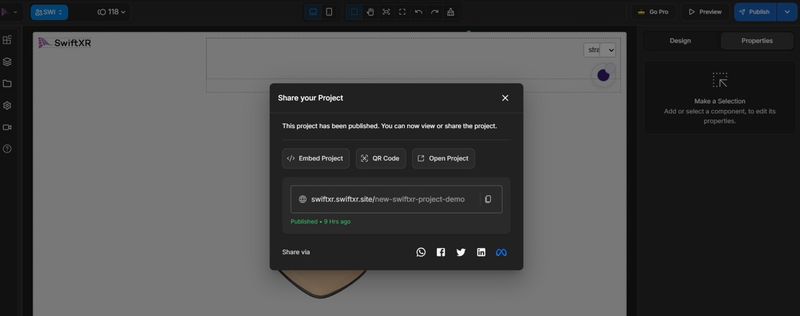
When your experience is ready, publish it using one of the available options. You can:
- Share a direct link
- Embed it on your website
- Generate a QR code
- Integrate it directly into your online store
Once published, your audience can access your WebAR experience instantly, no app download required.
Conclusion
With SwiftXR, you can move from idea to live augmented reality experience in minutes, not months.
Start simple, focus on the experience you want your audience to have, and let the platform handle the complexity behind the scenes.
The barrier isn’t technical anymore. It’s simply getting started.
Get started here