Blog
September 23, 2026
·7 min readHow to Plan an Interactive Product Demo for a Physical Product

Otuokon Nsikak
An interactive product demo for a physical product should help a buyer answer one defined question, then move to a clear next step. Start with the buyer task, choose the simplest interaction that can support it, and keep specifications, availability, pricing, and commercial terms in their maintained systems.
That sounds straightforward, but teams often begin with the format. They ask for a 3D viewer, configurator, animation, or augmented reality experience before agreeing what the buyer must understand. The result can be visually polished while leaving the sales team without a useful story or reliable handoff.
SwiftXR's point of view is to treat an interactive demo as governed product evidence. The experience should show only approved visual information, make its limits clear, and remain useful during a live conversation and after the meeting.
Start with one buyer question
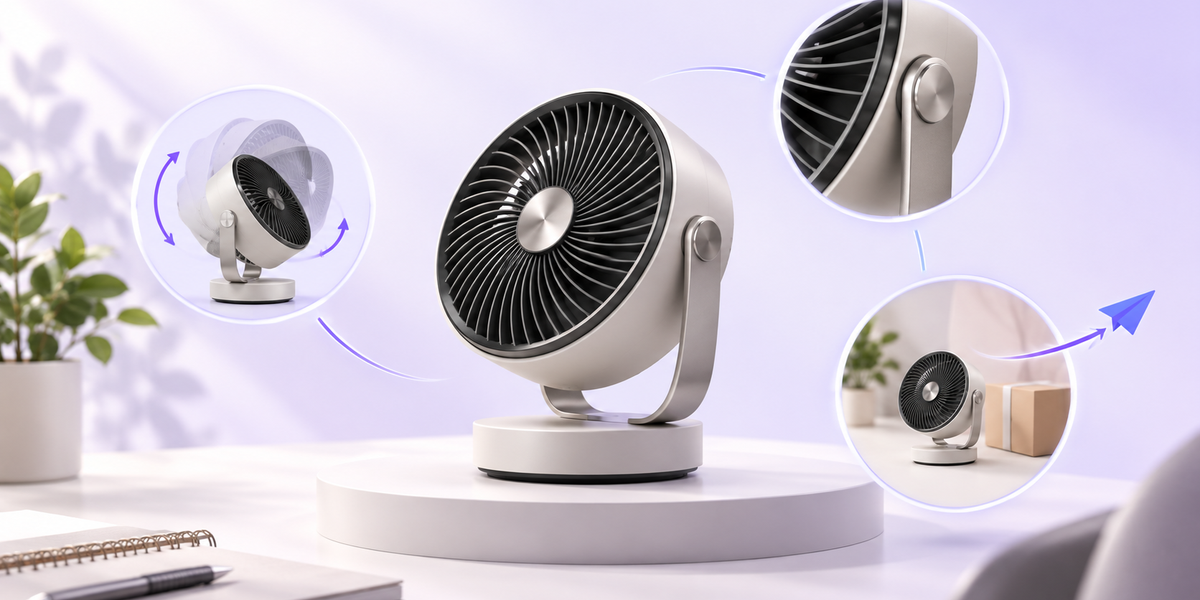
Write the question before selecting software or preparing a model. For a fictional compact desk fan, useful questions could include:
- What does the rear grille and control layout look like?
- How far can the head tilt?
- Which approved finishes are available?
- How large will the product appear on a small desk?
- Which detail should the buyer discuss with a sales representative?
These questions do not all need the same demo. A fixed video can explain an operating sequence. Interactive 3D can give the buyer control over viewpoint and visible detail. A configurator can show supported visual options. Supported AR can help with a spatial question. Written specifications remain the authority for dimensions, materials, power, compliance, and other factual requirements.
Choose one primary question for the first version. If the demo tries to answer every possible question, the team can add interactions that are difficult to approve, explain, and maintain.
Match the demo format to the task
The word interactive covers several different experiences. Select the format by the buyer action it enables.
Use guided media when sequence matters
Choose video or animation when the order of explanation is important. A controlled sequence can show how a component moves, how a product is assembled, or what happens before and after a step. The buyer sees the views chosen by the producer.
Use interactive 3D when viewpoint matters
Choose a 3D model viewer when the buyer needs to rotate, zoom, or inspect the approved product from a useful angle. SwiftXR's current 3D model viewer supports browser-based interaction, website embedding, and supported AR routes. The same experience can also run as a standalone viewer page.
Interactive 3D does not prove material feel, operating noise, electrical performance, availability, or price. Keep those facts in ordinary page copy, maintained specifications, or the sales conversation.
Use configuration when a visible choice matters
Choose a product configurator when the buyer must compare approved colours, materials, finishes, or visible components. Define which options are visual only and which require commercial or compatibility logic elsewhere.
A visual change is not evidence of price, stock, compatibility, or manufacturability. If those decisions matter, connect the demo to the maintained process that owns them rather than implying that the image is the source of truth.
Keep a physical or live demonstration when behaviour must be proved
Some questions need a real product, an instrumented test, or a specialist demonstration. A browser experience cannot prove load, sound, texture, safety, or performance simply because the product looks realistic. Use interactive media to prepare the conversation, not to replace evidence it cannot provide.
Build one approved product story
Once the format is clear, prepare one product for the first demo. Record the model revision, source owner, approval owner, intended audience, and approved claims. Confirm that scale, orientation, materials, visible components, and default camera view match the maintained product evidence.
In SwiftXR, a team can import a supported 3D asset, set the presentation, add approved hotspots, publish a browser experience, and place it on a website. Start with the smallest useful interaction:
- Set an opening view that makes the product recognisable.
- Allow rotation and zoom only where they help inspection.
- Add a hotspot only when it explains a supported visible detail.
- Add approved visual options only when the buyer must compare them.
- Offer supported AR only when scale or placement is a real buyer question.
Every interaction should earn its place. A feature that looks impressive but does not answer the primary question can make the demo harder to use and harder to govern.
Plan the live conversation and the follow-up together
Sales teams often build a demo for the meeting and improvise the follow-up later. A stronger plan gives both moments a job.
During the meeting, the representative should be able to open the product in a browser, return to the approved starting view, and move directly to the detail under discussion. The interaction should support the conversation without forcing the buyer to watch a long sequence first.
After the meeting, the buyer may need to share the product with colleagues. Use the same approved standalone experience or place it on a controlled follow-up page with specifications, scope, and the next action. Do not rely on the interactive object to carry commercial context by itself.
This reuse matters because it reduces the chance that the live demonstration and the follow-up show different product revisions. It also gives the team one experience to retest when the product changes.
Protect the factual handoff
An interactive product demo is one layer of a sales system. Define where each kind of information lives:
- The 3D experience owns approved visual presentation and interaction.
- Product information owns maintained dimensions, materials, and specifications.
- Commercial systems own price, stock, availability, and order status.
- The sales process owns qualification, scope, commitments, and next steps.
If information appears in more than one place, name the source of truth and the person responsible for updates. A visually accurate model can still become misleading if the product changes and nobody knows which experience needs revision.
Test the route, not only the model
Approval should cover the complete buyer route. Test the standalone experience and every intended embed on the devices that matter. Check the opening frame, rotation, zoom, hotspot labels, supported options, AR route, still-image fallback, keyboard access, loading behaviour, and the next action on the page.
Ask a colleague who did not build the experience to complete the original buyer task. Can they find the relevant detail? Do they understand what the demo does not prove? Can they continue to specifications, an enquiry, or another agreed action?
Record defects against the route rather than treating every problem as a 3D model problem. A correct model can still sit inside a poor mobile crop, a vague page, or a follow-up with no commercial context.
Measure interaction without calling it impact
Experience analytics can show whether people opened or interacted with the demo. Website and commercial systems can provide other signals according to their own definitions. Decide the measurement plan before launch so the team knows which event answers which question.
Interaction is not the same as qualified demand, revenue, conversion, or reduced returns. Use it as diagnostic evidence. For example, a buyer may open a shared experience because the representative directed them there, while another buyer may answer the question from the opening view without much interaction.
The useful review asks whether the demo supported the defined buyer task, whether the product stayed accurate, and whether the next step remained clear.
A practical decision
Build the first interactive product demo around one approved product, one buyer question, and one next action. Use guided media for sequence, interactive 3D for viewpoint, configuration for supported visible choices, and a physical demonstration when real behaviour must be proved.
SwiftXR can help teams publish a browser-based 3D product experience, embed it on a site, offer supported AR, and review experience interactions. The commercial value still depends on a clear brief, accurate product evidence, and a disciplined handoff.
Explore SwiftXR's 3D model viewer or book a practical demo planning call.