Blog
October 7, 2026
·7 min readOnline CAD Viewer or 3D Product Viewer: Choose the Right Buyer Handoff

Otuokon Nsikak

Use an online CAD viewer when a stakeholder needs to review a design. Use a 3D product viewer when a buyer needs to inspect an approved product on a website. The two can share a browser delivery route, but they serve different decisions. Choose the handoff before choosing the viewer.
For a manufacturer’s product marketing lead, the immediate problem is often an existing engineering model and a request to “put it online”. Engineering wants the correct revision and useful design detail. Sales wants a product that a prospect can understand. Sending the same file to both audiences can expose unnecessary detail or leave buyers inside a review tool with no clear next step.
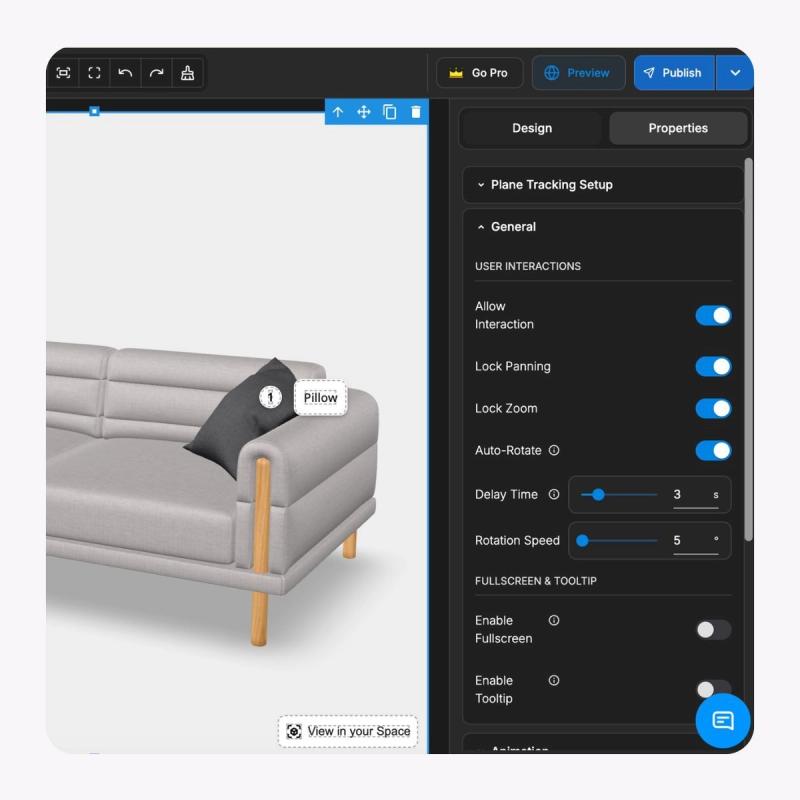
SwiftXR’s point of view is to keep the engineering source and the customer presentation connected through an explicit approval record. Its 3D model viewer provides browser-based rotation, zoom, camera setup, hotspots and website embedding. Those capabilities can present an approved delivery model. They do not establish an engineering approval process, verify dimensions, or make a public model confidential.
Compare the task before comparing the tools
An online CAD viewer is a browser application for viewing design data. Autodesk Viewer is one documented example: its getting-started guide describes uploading, viewing and sharing supported design files. It converts them into a design representation; recipients of the shared view cannot access and edit the source files through that view.
A product viewer presents an approved model in the buyer’s context. SwiftXR’s current viewer page describes importing a model, preparing its camera and lighting, and embedding the experience on a website. A product owner still needs to approve what that representation shows.
Compare the routes across four questions:
- Reader task: design review asks whether a design is understood or needs discussion. Product presentation asks whether the buyer can inspect the approved product and continue to specifications, a quote or a purchase.
- Required detail: a reviewer may need engineering information. A prospect may need the exterior, visible connections or finish. Record the actual requirement rather than assuming all detail should be shared.
- Destination: a design-review link can support a bounded stakeholder conversation. A product-page embed sits beside maintained specifications and a commercial action.
- Release owner: engineering approves the source and permitted detail. Product content and web teams approve the customer representation, copy and destination.
This is a task comparison using Autodesk Viewer and SwiftXR as documented examples. It is not a ranking, a benchmark, or a claim that every CAD viewer lacks product-presentation features.
Choose a CAD view for a design conversation
A design view is a useful starting point when a distributor, project stakeholder or colleague needs to discuss a specific design. Ask which file types, review tools and sharing behaviour the selected application supports. Check the view from the recipient’s perspective before sending it.
Autodesk’s sharing documentation states that anyone with its shared link can access the design view. Its source-file boundary should therefore not be mistaken for recipient authentication. Review the selected tool’s current sharing rules, expiry behaviour and permitted audience with the file owner.
The strength of this route is its connection to a design conversation. The limitation is that the review destination still needs context: which revision is being discussed, what the recipient should inspect, and where feedback belongs. A successfully opened model is not an approved specification.
If the recipient needs installation dimensions, engineering tolerances or a purchasing specification, provide the approved document that owns those facts. Do not infer them from a rendered view or an approximate visual measurement.
Choose a product view for a customer decision
A product viewer earns its place when an explorable model answers a customer question that a still image leaves unresolved. A fictional pump supplier might want buyers to locate the inlet, see the exterior form or understand the position of a visible connector. These are presentation tasks. They do not establish flow rate, pressure rating, compatibility or installation safety.
For this route, choose one approved model revision and prepare the opening view around the buyer question. Add a hotspot only when it explains a verified visible detail. Keep essential specifications and the quote route in the surrounding page so a buyer who skips the viewer can still act.
SwiftXR can supply that browser presentation and embed. Its manufacturer solution is a relevant starting point for a product demonstration. Test the actual delivery file and product page; do not assume that every native CAD assembly converts with all geometry, materials or behaviour intact.
The strength is a focused customer destination. The limitation is the extra publishing record: someone must connect the source revision to the delivery model, experience and page. Website embedding does not automatically transfer product choices into a quote or order system.
Remove unnecessary detail before release
Decide what the audience is allowed to see before export. Hiding a component in an opening camera view is not the same as removing it from the delivered asset. Have the engineering owner inspect the actual output, including internal geometry, names, properties and any supporting files.
Autodesk Inventor’s Simplify guidance documents removing selected components and features. It also notes that simplified parts can retain original appearances and calculated mass properties. That is a reason to inspect the output rather than treating simplification as a blanket confidentiality guarantee.
Use the least detail that accurately serves the task. A customer model can preserve the exterior and approved connection locations without reproducing every internal component. A design review may need more. These are release decisions for the file owner, not claims that SwiftXR removes proprietary data automatically.
Keep the master source in the engineering system. Give the approved delivery its own identifier, revision and checksum. The GLB and glTF handoff guide covers packaging; this decision comes earlier and determines what the package is permitted to contain.
Run one handoff test with both owners
Before expanding to a catalogue, select one representative product and one recipient task. Engineering should approve the permitted geometry and source revision. Product marketing should approve the explanation, opening view and next action. The web owner should test loading, touch controls, fallback media and links on phone and desktop.
Record what happened when the recipient tried the task. Could they identify the relevant detail? Did the model and written specification agree? Could they reach the correct document or enquiry route? Keep an interaction observation separate from a claim about understanding, qualified demand or revenue.
If the discussion is about the design, keep it in the design-review route. If it is about an approved product, publish the customer representation in the product context. If both are needed, maintain two deliberate views joined to the same approved source record.
Common questions about the handoff
Can an online CAD viewer replace a product viewer?
Sometimes. If a shared design view answers the recipient’s task and its sharing behaviour fits the intended audience, another viewer may be unnecessary. Test product-page placement, presentation controls and the next action before deciding.
Does a simplified model keep the design private?
Simplification can remove selected detail, but it is not a complete privacy guarantee. Review the delivered geometry, properties, files and access route. Autodesk’s documentation explicitly identifies information that can remain in a simplified part.
What should we bring to a SwiftXR demo?
Bring a release-approved model, the buyer question, the authoritative specification and the target page. Ask to test the presentation and handoff together in a SwiftXR demo.
Sources and scope
Capability statements were checked against current SwiftXR and Autodesk documentation on 5 October 2026. The pump is fictional. Recommendations concern task selection and release ownership; they report no customer result, tool performance ranking or confidentiality certification.