Blog
September 28, 2026
·5 min readMobile 3D Product Configurators: What to Test Before You Buy

Otuokon Nsikak
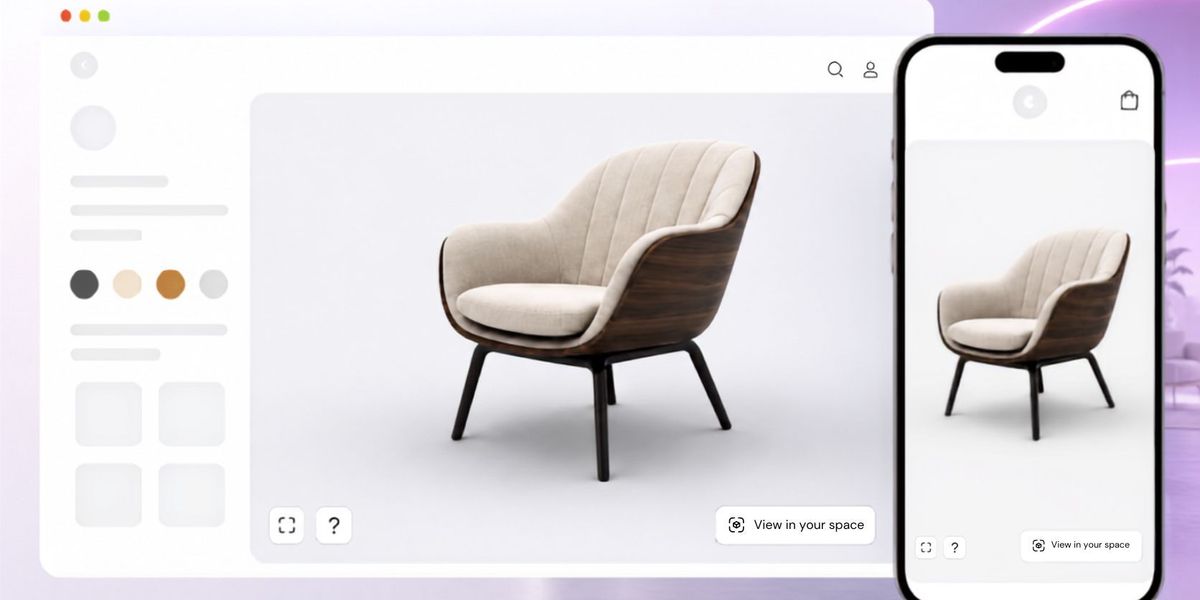
A mobile 3D product configurator is worth buying only if a buyer can load the product, make a valid choice, understand the resulting product, and finish the intended next step on a real phone. A smooth desktop demo cannot answer that question. Test the complete journey on the product pages, devices, and connections your buyers actually use.
For an ecommerce or product leader, the purchase risk is a convincing visual preview that becomes slow, cramped, or disconnected from the quote or order. The result is more work for sales and product teams, even when the 3D scene itself looks impressive. Define the buyer task before comparing vendors.
SwiftXR offers a browser-based 3D configurator with visual colour, material, and finish options, responsive controls, and share or embed routes. Treat those as capabilities to test on your own product, not as proof that your page, catalogue, or commerce handoff will perform well. Explore the SwiftXR configurator and request a product-specific demonstration.
Start with the buying decision, not a speed number
Write one sentence describing the task: for example, a buyer needs to compare two approved chair finishes on a phone and send a specification to sales. Record the page URL, the starting image or view, the option choices, the required product facts, and the intended next action. This gives each vendor the same test.
Separate the visual layer from the systems that own price, availability, rules, and fulfilment. If the next step is a quote request, the sales team needs a traceable specification. If it is checkout, the store needs an order line that matches the choice shown. Ask who owns each fact and how a changed product revision is handled.
Test the product page before opening 3D
Load the page on a mid-range phone over a representative mobile connection. Can the buyer identify the product, price or quote route, and primary action before the interactive asset finishes loading? Keep a useful still image and essential product information available. Reserve space for the viewer so its arrival does not shift controls under the buyer’s finger.
Google’s Core Web Vitals guidance distinguishes loading, responsiveness, and visual stability. Largest Contentful Paint measures when the largest visible content appears; Interaction to Next Paint measures response to an interaction; Cumulative Layout Shift measures unexpected movement. These are page-level signals. Measure the actual product page, not a vendor demo in isolation.
Test the first useful interaction
Open the 3D experience and make the choice in the task brief. Observe when the product becomes usable, whether rotation and option controls respond, and whether selected states remain legible without covering the product or CTA. Repeat after a cold load, after returning to the page, and after switching between options. Record the device and connection for every observation.
A page can load quickly and still feel slow after a tap. Google defines Interaction to Next Paint around the delay before the next visual update. Use that distinction when assessing taps on swatches, hotspots, and the next-action control. Do not infer a good mobile experience from a desktop viewport resized in a browser.
Check accuracy, recovery, and the final handoff
Confirm that each visible option is an approved product state. Test an unavailable or incompatible combination, a change of mind, and a page refresh. The visual result, named option, and written specification should agree. A fallback image and a clear recovery route matter when 3D cannot load or the device does not support a feature.
Submit a test quote request or test order only in a safe test environment. Compare the configuration recorded by the receiving system with what the buyer saw. Capture the product identifier, option names, revision, and destination owner. Do not assume that an embed automatically transfers commercial data into a cart, CRM, or CPQ system.
Use a small comparison record to choose a vendor
For each shortlisted product, record the same five observations: page usable before 3D, first interactive product view, option response, visual and written state agreement, and quote or order handoff. Add the device, connection, product revision, failed states, and who can fix each issue. A short screen recording can help the team discuss a specific failure without turning an anecdote into a performance claim.
Choose the option that lets the buyer finish the defined task with the least unresolved risk. A faster model is valuable, but speed cannot compensate for incorrect options or a broken handoff. A rich feature list is useful only when the team can maintain the product data behind it.
Where SwiftXR fits
SwiftXR can supply the browser-based visual layer for a controlled product test. Its current 3D model viewer and configurator pages describe mobile-responsive viewing, visual options, and website embedding. Your team should still test the real page and separately validate catalogue rules, price, and downstream records.
If you are comparing approaches, bring one approved product and one buyer task to a SwiftXR sales demo. Ask the team to show the mobile journey and the handoff boundary using that example.
Sources and scope
Product capability references: SwiftXR 3D product configurator and SwiftXR 3D model viewer. Measurement definitions: Google Search Central Core Web Vitals, LCP, INP, and CLS. This guide proposes a test method and reports no vendor performance result.