Blog
June 15, 2026
·3 min readHow to Bring Your Ideas to Life with SwiftXR's Create with AI: From Prompt to Published in Seconds

Otuokon Nsikak
You've got a great product. But your customers can't touch it, hold it, or see it from every angle before buying. That gap between browsing and buying is costing you sales. SwiftXR closes that gap.
Introducing Create with AI
Type what you want to build. That's it.
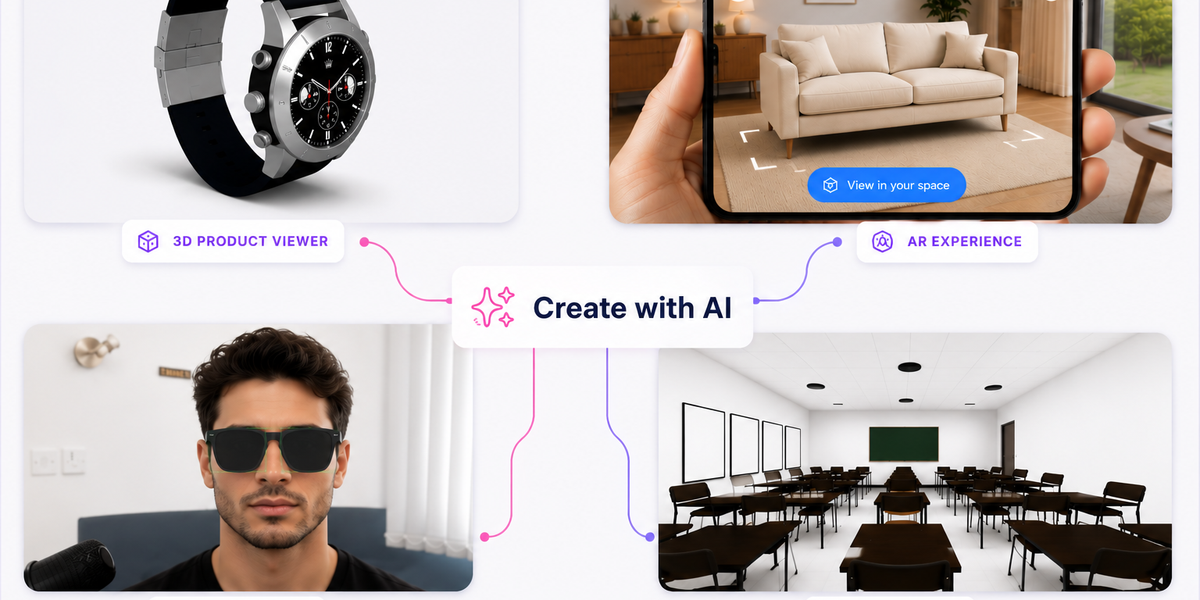
Describe your project in a single prompt, and SwiftXR generates a complete, ready-to-publish 3D, AR, or VR experience, right components, placeholder assets, and full structure in seconds.
No files to prepare. No setup to configure. No skills required.
Customize it or publish it immediately. Either way, you started with a sentence.
Whether you sell furniture, fashion, jewellery, or home decor, you can now give your customers an immersive experience that builds confidence and drives conversions.
How It Works: Step by Step
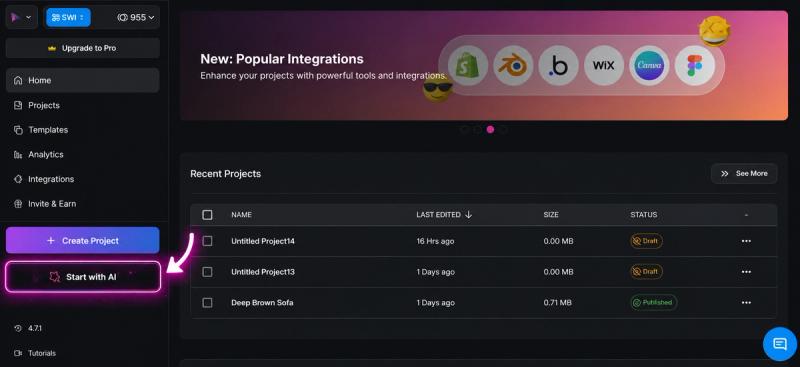
Step one: Log in to your SwiftXR dashboard and click Start with AI from the homepage.
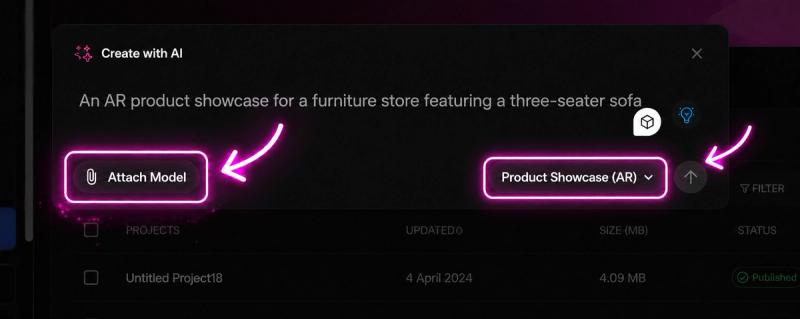
Step two: Describe your project and set it up.
In the Create with AI prompt box, you can type a description of the experience you want to build, such as "an AR product showcase for a furniture store featuring a three-seater sofa" or "a virtual try-on experience for a jewellery brand with gold hoop earrings." The more context you give, the better the project.
Before hitting generate, two things to set:
Attach Model: If you already have a 3D model file for your product, attach it here. SwiftXR will use it directly in the generated project, so you skip the placeholder asset entirely.
Experience type: Use the dropdown to choose what you want to build. Five options are available:
- Product Showcase (AR): Place your product in a customer's real space
- Virtual Tour (VR): Immerse customers in a full virtual environment
- Face Filter: Overlay your product on a customer's face for try-on experiences
- Landing Page: Build an immersive landing page around your product
- Portfolio: Showcase a collection of 3D work or products
When you're ready, hit generate, and SwiftXR builds the full project around your prompt and settings.
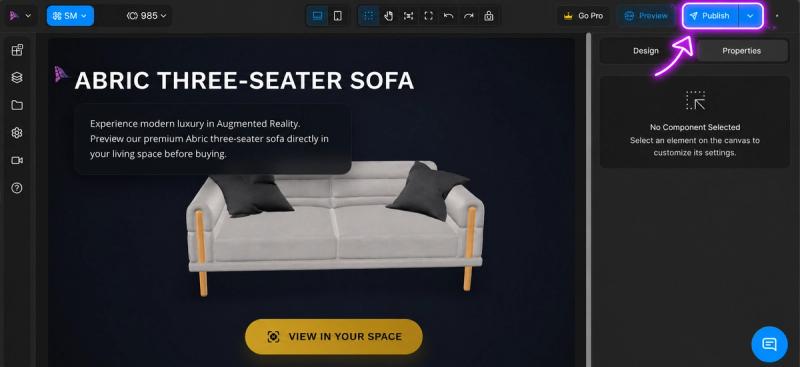
Step three: Your project is ready, time to publish.
Preview your generated experience before it goes live. Rotate the model, zoom in, and check every angle. If something needs adjusting, tweak your prompt and regenerate. When you're happy with it, you're one click away from publishing.
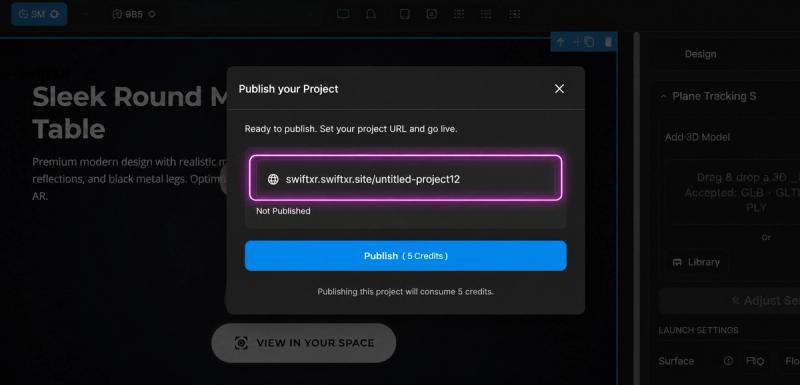
Step four: Share it anywhere.
Once published, SwiftXR gives you a live project URL. Add it to your website or product page and your immersive experience is now live and ready to go.
Take It Further With SwiftXR's Immersive Tools
SwiftXR gives you a full suite of immersive tools to build richer, more engaging product experiences, all available as you create and publish your project.
- AR Placement: Let customers point their phone at their space and see your product at real scale before buying.
- VR Walkthrough: Immerse them in a full virtual environment built around your product.
- AI Virtual Try-On: Perfect for fashion, eyewear, and accessories.
- Hotspots & Labels: Attach product information and details directly onto the model itself.
- Customizable Variants: Display different colours and materials all within one single model.
- Product Dimensions: Show accurate measurements so customers know exactly what they're getting before delivery.
Each of these reduces purchase hesitation, reduces returns, and increases the kind of confidence that turns a maybe into a yes.
Your competitors are still using flat photos. You don't have to be.
Start creating professional 3D models for free today. Start Free Trial
Works seamlessly with Shopify, Wix, and more.
Questions? Book a call today or Join The Discord Community.