Blog
September 16, 2026
·7 min readBest No-Code AR Editors With AI Assistance

Otuokon Nsikak
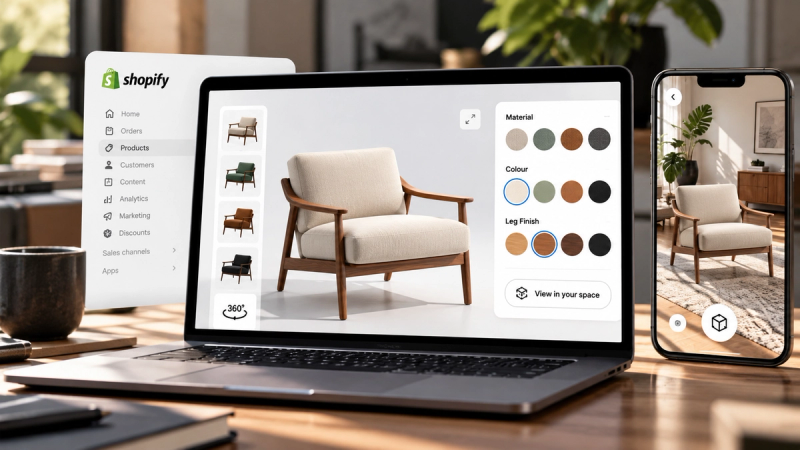
Most teams do not need another design toy. They need a way to get AR onto a product page without opening a development ticket for every update.
That is why no-code AR editors matter. And it is why AI assistance is becoming the difference between a tool your specialist can use and a tool your merchandising team will actually run.
This guide is not a hype list. It is a practical way to judge no-code AR editors that include AI assistance, especially if your goal is ecommerce: product views, placement in a real space, fast configuration, and publishing on the site you already have.
What “no-code AR editor with AI assistance” should mean
The label is getting crowded. For commercial use, the product has to clear five bars.
1. No-code publishing
Your team can build and update the experience without writing custom WebAR code.
2. Real AR delivery
Shoppers can open the experience in a browser on modern phones, ideally without installing an app.
3. AI that shortens real work
Assistance should help with setup and changes people already need: materials, variants, scene adjustments, content configuration. Not novelty prompts that die in a demo.
4. Ecommerce fit
The output belongs on a product page, collection page, or campaign page, with a path to purchase or enquiry.
5. Iteration speed
A colourway change or camera fix should not restart a production cycle.
If a tool only models in the browser but cannot publish cleanly for shoppers, it is a design environment. If it publishes but every change needs a technical operator, it is not truly no-code for the team that owns the catalogue.
The criteria that matter more than feature count
AI assistance that maps to merchandising decisions
The useful version of AI in an AR editor is simple: you describe the change, the experience updates.
Examples that matter in production:
- “Change the material to matte black.”
- “Create a navy and cream variant.”
- “Set the opening camera on the front label.”
- “Add a hotspot for dimensions.”
If the AI only generates decorative scenes and cannot help configure sellable product experiences, it will not reduce workload for ecommerce teams.
Browser-based AR without app friction
App-based AR still has a place in closed ecosystems. For most online stores, app installs kill completion. The stronger default for product pages is browser-based AR that opens from a link or embed.
Asset handoff that respects web performance
A beautiful model that stalls on mobile is not an AR win. Look for a workflow that accepts common web formats, keeps experiences publishable, and does not hide performance problems until launch day.
Platform publishing
The editor should get the experience onto Shopify, WooCommerce, Wix, Webflow, WordPress, or a custom site without a rebuild. AR that only lives inside the vendor’s viewer account is not the same as AR on your product page.
Control after publish
Teams need to update variants, fix a camera angle, or swap a hero product without waiting on an agency sprint.
How the category usually breaks down
When people search for no-code AR editors with AI assistance, they are usually comparing three different product types:
Browser 3D design tools
Strong for creating or editing scenes visually. Some add AI features and publishing. Evaluate carefully whether AR delivery and ecommerce embedding are first-class or secondary.
Product customisation platforms
Strong when the job is personalisation, print-on-demand, or simple option picking. AR may be available, but the centre of gravity is customisation logic rather than immersive product inspection.
Immersive commerce platforms
Built around product experiences: 3D viewing, AR placement, configuration, and publishing onto storefronts. AI assistance is most valuable here when it speeds catalogue work, not just scene experiments.
The “best” option depends on the job. A tool that is excellent for creative experimentation can still be the wrong buyer for a team that needs AR on 200 product pages.
What ecommerce teams should prioritise
If your use case is online retail, rank tools in this order:
Can a non-developer publish AR to the product page?
Can shoppers use it on mobile without an app?
Can the team change materials, variants, and content quickly?
Does AI reduce configuration time for real catalogue tasks?
Can you measure whether people interact and continue toward purchase?
A longer feature list does not beat clear answers to those five.
Where SwiftXR fits
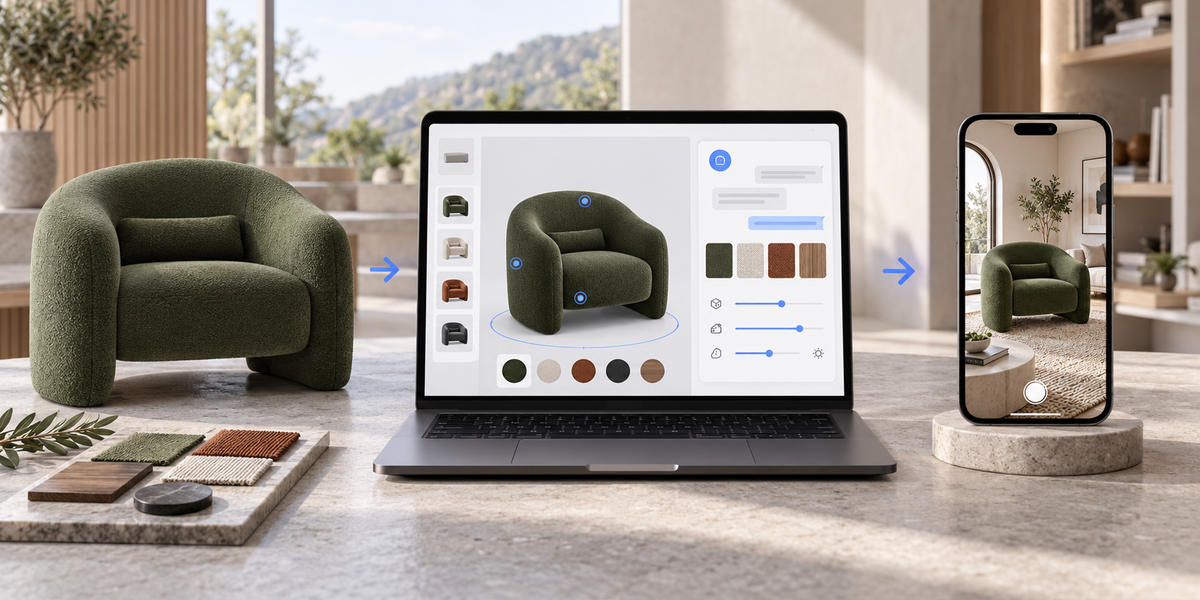
SwiftXR is built as a no-code platform for interactive 3D, AR, and related product experiences, with AI assistance aimed at configuration work teams already do.
In practice, that means:
- Upload or bring in a product model
- Configure the experience in a visual editor
- Use the AI Assistant to describe changes in plain language
- Enable AR where the product needs real-space context
- Publish with a link or embed on the storefront you already run
- Update without a developer in the middle of every change
The AI Assistant is not positioned as a replacement for product judgment. It reduces translation work. You still decide the material, the variant set, and whether the result is ready for customers. The software handles more of the path between that decision and a publishable experience.
For ecommerce teams, that is the point of AI in this category. Not spectacle. Throughput.
SwiftXR is a strong fit when:
- You need AR and 3D on product pages, not only in a design file
- Merchandisers and marketers need to make routine changes themselves
- Browser-based delivery matters more than app installs
- You want one workflow from configuration to publish and measurement
It is the wrong comparison if all you need is open-ended 3D sculpting with no commercial publishing requirement.
A practical way to choose in one afternoon
Do not start with pricing pages. Start with a pilot SKU.
Pick one product where hesitation is costly.
Confirm you have a usable 3D asset or a clean path to one.
In each shortlisted tool, try the same job: configure a variant, set an opening view, enable AR, publish to a page.
Open the result on a phone.
Time how long a non-developer needs to make one real change after the first publish.
The best no-code AR editor with AI assistance is the one that survives that test without calling engineering.
What “best” should mean in 2026
In this category, best is not the loudest demo.
Best is:
- Fast enough for seasonal catalogue work
- Clear enough for non-specialists
- Strong enough in browser AR that customers finish the experience
- Grounded enough in ecommerce publishing that the output lands where money moves
AI assistance only counts if it makes that loop shorter.
Build AR your team can actually run
No-code AR editors are useful when they remove the production bottleneck. AI assistance is useful when it removes the configuration bottleneck.
If your team is still waiting on specialists for every material swap or camera fix, the editor is not doing commercial work yet, no matter how advanced the demo looks.
SwiftXR is built for teams that need to create, configure, and publish interactive 3D and AR product experiences without code, with AI support for the changes merchandising already needs to make.
Frequently Asked Questions
What is a no-code AR editor?
A tool that lets teams create and publish augmented reality experiences through a visual workflow, without writing custom AR application code for each project.
Does AI assistance replace a 3D specialist?
No. Complex modelling, brand-critical art direction, and difficult asset cleanup still benefit from specialist skill. AI is most useful for routine configuration and faster iteration once a product asset exists.
Is browser-based AR enough for ecommerce?
For most product pages, yes. It removes app-install friction. App-based AR can still make sense for specific closed experiences, but it is usually a weaker default for storefront conversion.
Can non-technical teams maintain the experiences after launch?
They can if the platform is genuinely no-code and the AI or editor workflow matches everyday merchandising changes. That maintenance test matters more than the first publish.
What should we pilot first?
One high-consideration product with a clear buyer question: fit, finish, scale, or detail. Prove the workflow on a single SKU before rolling out across a catalogue.