Blog
July 29, 2026
·7 min read3D Product Modeling for Ecommerce: How to Prepare Web-Ready Assets

Otuokon Nsikak
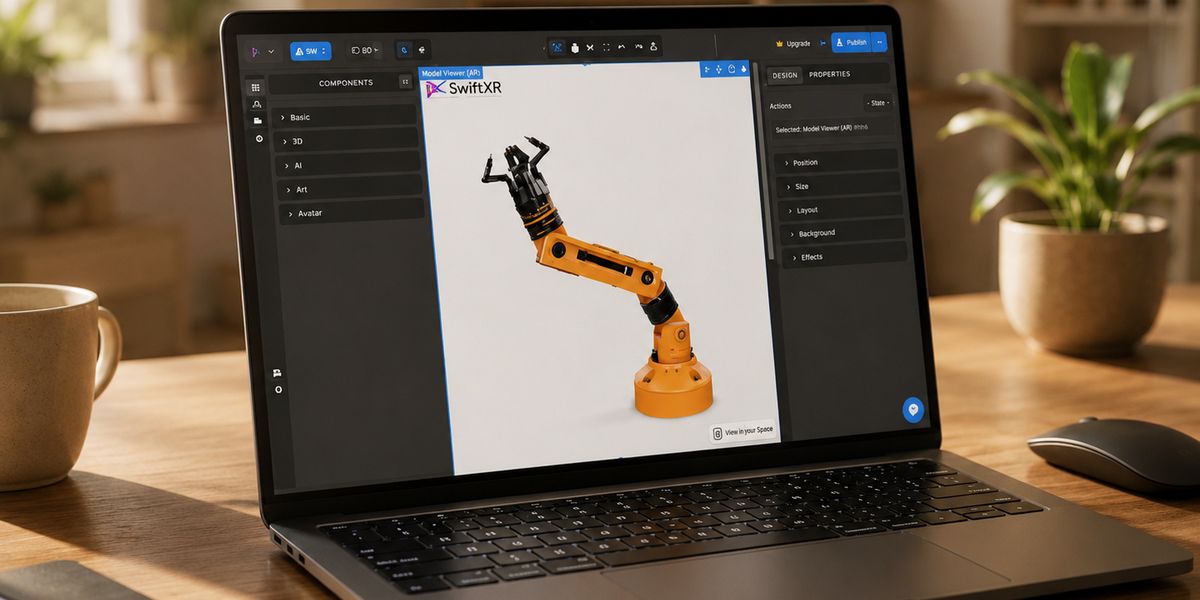
A web-ready 3D product model is not simply the highest-detail file your design team can export. It is an accurate, efficient asset prepared for the devices, platforms, and customer interactions it needs to support.
For ecommerce teams, that means preserving the visual details that help a buyer understand the product while removing unnecessary complexity that slows delivery or creates inconsistent rendering. The model also needs correct scale, reliable materials, predictable orientation, and a tested export.
This guide provides a practical handoff process for ecommerce leaders, product teams, 3D artists, and agencies.
What makes a 3D product model web-ready?
A web-ready model should meet five basic requirements:
- It represents the physical product accurately.
- It uses a format supported by the intended viewer or commerce platform.
- It loads and responds acceptably on the target devices.
- Its scale, orientation, materials, and textures behave consistently.
- It passes technical validation before publication.
The right balance depends on the product and the destination. A detailed industrial assembly used by a sales engineer has different requirements from a chair that shoppers will rotate on a mobile product page. Optimization should therefore begin with the use case, not with an arbitrary polygon or file-size target.
1. Define every publishing destination first
Before changing geometry or textures, document where the model will appear.
Ask:
- Will customers use it on a desktop product page, a mobile page, or both?
- Does the experience include browser-based AR?
- Will buyers change colors, materials, components, or other variants?
- Does the model need animation?
- Will the same asset feed Shopify, a custom website, a sales presentation, or multiple channels?
These answers determine the delivery formats, material features, interaction requirements, and testing plan. Shopify, for example, supports GLB and USDZ for 3D product media. Other viewers and publishing systems may accept a broader range of source files but still create a web-focused delivery asset.
The safest operating model is to keep a high-quality source asset and create controlled publishing versions for each destination.
2. Preserve a clean source asset
Do not treat the compressed web export as the master file.
Keep a versioned source asset with:
- Accurate product dimensions
- Clean object and material names
- Editable geometry
- Original texture sources
- Approved material values
- Documented variants
- Clear ownership and usage rights
This makes later corrections easier. If a product finish changes or a new configurator option is introduced, the team can return to the controlled source instead of rebuilding from a compressed delivery file.
Use naming that helps people and systems understand the product, variant, version, and destination. Consistent names also reduce errors when a catalogue contains hundreds or thousands of assets.
3. Correct scale, origin, and orientation
Scale errors become especially visible in AR. A sofa that appears at the size of a toy does not give a buyer useful product context.
Confirm:
- The model uses documented real-world dimensions.
- The product sits on a logical ground plane.
- The origin supports the expected rotation or placement behaviour.
- The front of the product faces the intended direction.
- Moving parts have sensible pivots.
- Transform values are applied correctly before export.
Khronos commerce asset guidance includes consistent scale, units, coordinate systems, and origin placement as important parts of cross-platform asset preparation. These checks should be part of the handoff, not left for the website team to discover.
4. Remove geometry that does not help the buyer
High-detail manufacturing or CAD data often contains information that is valuable for production but unnecessary for an ecommerce interaction.
Review the model for:
- Hidden internal components that customers will never see
- Duplicate objects
- Excessively dense curved surfaces
- Tiny details that are better represented in a normal map
- Repeated elements that can use efficient instancing
- Geometry that does not affect the product silhouette or buying decision
Reduction should be deliberate. Protect recognizable edges, important openings, seams, controls, connection points, and other details that help the buyer judge the product.
Compare the optimized model with the source from the camera distances customers will actually use. A technically smaller file is not an improvement if the product becomes visibly inaccurate.
5. Simplify materials and optimize textures
Textures and materials can add substantial delivery and memory cost even when the geometry is efficient.
Check:
- Whether multiple materials can be consolidated safely
- Whether texture resolution matches the visible detail
- Whether unused texture channels or images are included
- Whether repeated product variants can share geometry and material resources
- Whether transparency is genuinely required
- Whether compression preserves important colour and surface details
Khronos guidance discusses material separation, transparency, channel packing, texture optimization, and GPU-friendly asset construction. The goal is not maximum compression. The goal is the smallest practical publishing asset that maintains an accurate product appearance.
Teams should review colour-critical assets on representative screens. Materials such as metal, glass, fabric, and glossy plastic can also respond differently to lighting environments, so visual QA should include the environment used by the final viewer.
6. Export the right delivery format
glTF is designed as a runtime delivery format for 3D scenes and models. GLB packages a glTF asset into a binary file, which can simplify web distribution because geometry, materials, and textures can travel together.
The required delivery set depends on the platform. Shopify serves GLB for web experiences and USDZ for supported iOS AR experiences. A cross-platform workflow may therefore create more than one publishing target from the same approved source.
Do not assume that a successful export guarantees a correct result. Material features, animation, scale, and lighting can behave differently across tools. Record the exporter, version, settings, and target platform so the result can be reproduced.
7. Validate and test before publication
Technical validation should happen before a model reaches a live product page.
The Khronos glTF Validator checks whether glTF and GLB assets conform to the specification. A valid file can still be unsuitable for a specific business use, so combine specification validation with visual and device testing.
Test:
- Initial loading on representative mobile and desktop connections
- Rotation, zoom, and other expected controls
- Materials and textures under the final lighting
- Product scale and placement in AR
- Variant and configuration changes
- Animation timing and controls
- Behaviour after repeated page visits
- Fallback content when 3D or AR is unavailable
Record the test device, browser, operating system, asset version, and outcome. This creates an audit trail and makes recurring catalogue production more reliable.
A practical 3D asset handoff checklist
Before an ecommerce team accepts a model for publishing, confirm:
- The intended channels and interactions are documented.
- The source asset is stored separately from delivery exports.
- Product dimensions, origin, and orientation are correct.
- Unnecessary geometry has been removed without changing the product.
- Materials and textures are efficient and visually accurate.
- Required variants and animations have been tested.
- Delivery formats match the destination.
- The asset passes format validation.
- Mobile, desktop, and AR behaviour have been checked where applicable.
- Ownership, version, and approval information are recorded.
This checklist gives marketing, product, development, and 3D production teams a shared definition of ready.
Where SwiftXR fits
SwiftXR helps teams present interactive 3D product experiences through the web. A controlled asset-preparation workflow makes it easier to move from an approved product model to a consistent customer-facing experience.
The strongest workflow separates product truth from delivery optimization. Your source asset protects the approved product representation. Your publishing assets are prepared for the devices and interactions customers will use.
Explore the SwiftXR 3D Model Viewer to see how web-based 3D product presentation fits into the wider ecommerce workflow.