Blog
September 1, 2026
·5 min read3D Modelling in the Browser vs Desktop, and Where Publishing Happens

Otuokon Nsikak
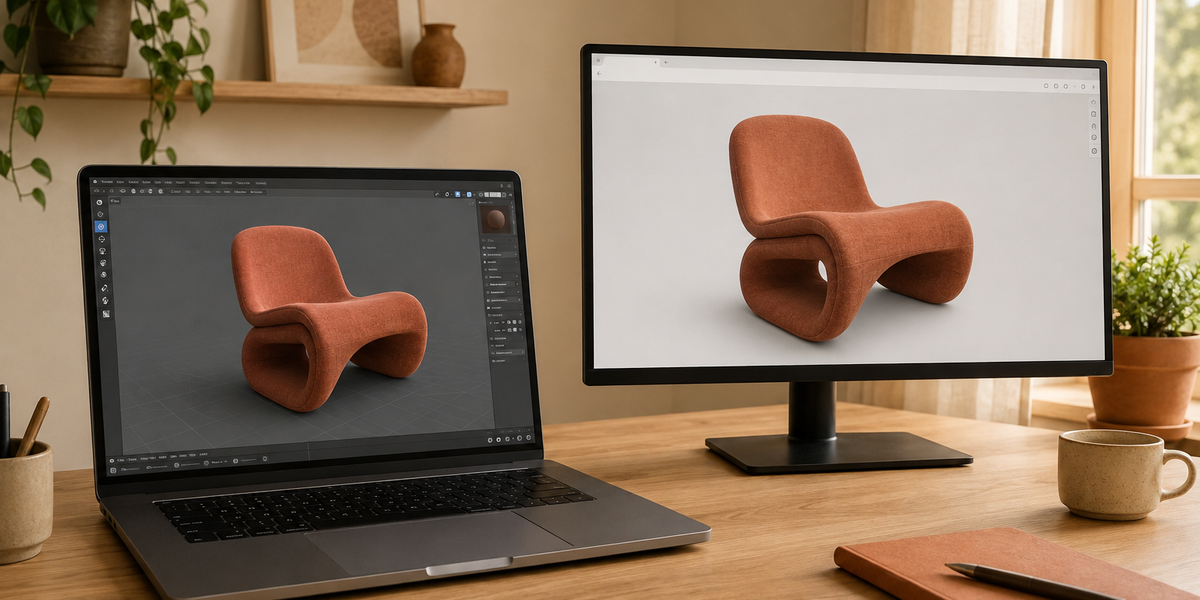
Desktop 3D still feels like the serious room. A workstation. A heavy file. Software that takes an afternoon to learn and a week to trust. Browser 3D feels like the opposite promise. Open a tab. Start. No install. Both can make a model. Most people searching this comparison stop there, as if the winner is the tool that sculpts faster. That is the wrong contest. The model is not finished when it looks right in the editor. It is finished when someone else can open it without owning your software. That second room is publishing. SwiftXR is built for that room.
What people are actually choosing
3D modelling in the browser” and “3D modelling on desktop” are two different jobs that get sold as one category. Desktop tools such as Blender, Maya, 3ds Max, and Cinema 4D are for studios. They give you control: topology, UVs, materials, animation, the long version of the asset. Browser tools give you speed: a scene in a tab, often lighter geometry, often aimed at a quick share. SwiftXR does not ask you to abandon the studio. It asks where the finished file goes next.
Where the desktop wins
Desktop tools still own precision. Complex topology, clean UVs, production materials, and assets that have to survive a long catalog life are easier to control in software built for that work. If the model will be reused across variants, renders, configurators, and AR, desktop is usually the safer studio.
What you get is control. What you do not get, automatically, is a public address. The file still has to leave the workstation.
Where the browser wins
Browser tools win on speed and access. Open a tab. Block out a shape. Share a first look without installing anything. For early concepts, client feedback, and lightweight experiments, that friction drop is real.
Tools like Vectary or Spline are common starting points here, useful for a fast first look, not built to be the final commercial deliverable on their own.
A browser model can still fail the same way a desktop model fails: it never becomes a page. It stays inside someone else’s account.
If you're unsure whether to export GLB or glTF for this handoff, GLB vs glTF for Ecommerce covers the difference.
The editor is the studio. The published link is the storefront. Mixing those two up is how teams argue about tools and still ship flat photos.
Where publishing happens
Publishing is the third step.
Build or generate the model, usually a GLB from desktop, or a model you generated in the browser.
If the file's coming from Blender specifically, the export steps are covered in How to Publish a Blender 3D Model on a Website.
Check weight, materials, and scale so the file behaves on a phone.
Publish through a web channel that gives you a shareable link and an embed on the site you already run.
SwiftXR is that channel. Upload the GLB, set the viewer, enable AR if the product needs placement, publish. The same path works whether the model came from a workstation or a tab.
A clean way to use both
Use desktop when the asset has to last. Use the browser when you need a fast first shape or a shared sketch. Then treat both the same at the end: export clean, keep the file practical, publish.
Aim to keep your GLB under 15MB for smooth loading across most connections. Models between 15MB and 50MB will load acceptably on desktop but may create friction on mobile. Anything above 50MB needs further optimisation before publishing. Most phone browsers will stall or fail entirely at that weight.
For a deeper look at getting a model genuinely web-ready before upload, see 3D Product Modeling for Ecommerce: How to Prepare Web-Ready Assets.
FAQ
Is browser 3D modelling good enough for a product page?
Good enough to publish, not always good enough to reuse. If the file is clean and light, it can hold up fine on a product page. If the asset needs to survive edits, variants, or a full catalog, that's still desktop's job.
Do I need to model inside SwiftXR to publish with SwiftXR?
No, and that's the point. Model in Blender, model in a browser tool, generate a first pass with AI, it doesn't matter where the file was born. SwiftXR only cares that it's ready to become a page.
If I already used a browser tool to make the model, why do I need SwiftXR too?
Because a viewer inside someone else's platform isn't a page on your site. SwiftXR is the difference between "I can show you this in my account" and "here's the link."
Can a desktop model and a browser model use the same publish path?
Yes. Both become a GLB before they reach SwiftXR. The editor is irrelevant at that point. What matters is the file weight and whether the materials exported cleanly. Export as GLB, check it opens correctly in a viewer, then publish.
Does publishing require code?
No. SwiftXR generates a shareable link and an embed snippet after you publish. Paste the embed into any website builder, Shopify, Wix, Webflow, WordPress, a custom site, and the viewer appears on the page. No developer required for the embed itself.
Close
The editor argument will keep going. Desktop will keep being the studio. The browser will keep being the fastest way in. Neither one is the website. If the model cannot be opened by someone who does not sit in your software, you have only modelled it. SwiftXR is where that work gets a public address.
You already have the model. Publish it.
Start free at swiftxr.io