Blog
August 24, 2026
·4 min readHow to Publish a Blender 3D Model on a Website

Otuokon Nsikak
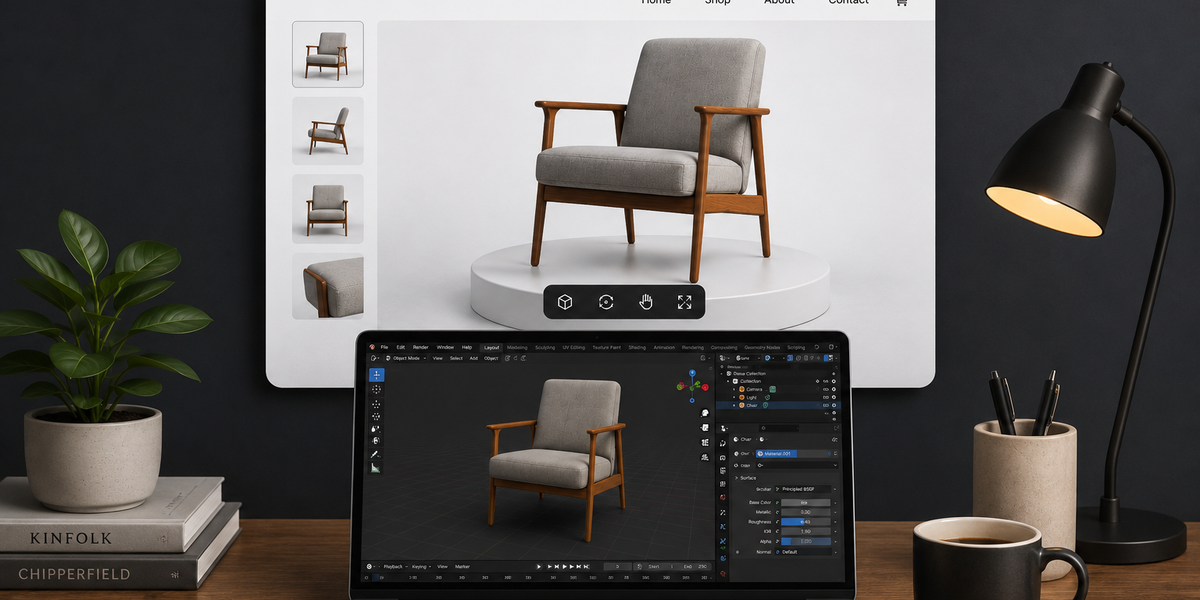
You finished the model in Blender; the light sits where you meant it to sit, the silhouette is right, then you try to show it to someone, and the work collapses into a project file they cannot open.
That is the quiet failure of good 3D work. It lives in the studio and dies in the send.
Blender is where the model is built. A website is where people meet it. SwiftXR is the channel between those two rooms. You export a web-ready file, upload it, and put a live 3D viewer on a page, a portfolio, or a link you can drop in a message. No developer. No custom WebGL build.
What publishing on a website actually means
It does not mean hosting the Blender project.
It does not mean a screenshot of the viewport.
It does not mean a file so heavy that a phone gives up before the first orbit.
It means someone without Blender can open a URL, turn the model in their hands, and optionally set it in the room they are standing in.
Blender cannot finish that last step. SwiftXR can.
What you need
- Blender
- A model you actually want other people to see
- A SwiftXR account
Export as GLB. One file. Mesh and textures packed together. That is the format a web viewer can carry without missing maps and broken paths.
Step 1: Prepare the scene in Blender
Strip the scene down to what the viewer should hold.
Hide or delete unused collections, extra lights, and hidden high-poly doubles. Apply location, rotation, and scale. Put the origin where you want the object to rest.
The version you leave rendering overnight is not the version you put on a website. Keep the mesh you would actually ship.
Step 2: Export from Blender as GLB
In Blender:
Select only what should go live.
Open File, then Export, then glTF 2.0.
Choose GLB.
Include the meshes and materials you need.
Export.
Aim to keep your GLB under 15MB for smooth loading across most connections. Models between 15MB and 50MB will load acceptably on desktop but may create friction on mobile. Anything above 50MB needs further optimisation before publishing. Most phone browsers will stall or fail entirely at that weight.
If you are over the line, reduce texture resolution and geometry, then export again.
Step 3: Publish it through SwiftXR
This is the moment the file becomes a place.
In SwiftXR:
Create a project.
Upload the GLB.
Set the 3D viewer: select the lighting & background.
Publish.
You get a shareable link and embed code.
Upload the GLB you already have and see the model live before you write the caption.
Step 4: Put it where people already look
Paste the embed on the page that should hold the work.
A portfolio wants it next to the stills.
A client review can live as the published link in an email.
A product listing can sit beside photographs if that is where the model is going.
Keep the words, the price, and the next step outside the canvas. The viewer is the object. The page is still the conversation.
The same embed works on a personal site, Webflow, Shopify, WooCommerce, Wix, or a plain HTML page. You do not rebuild the site; you place the published experience on the page you already have.
What good looks like when it is live
The first frame is the angle you would have shown in the studio.
The model opens on a phone.
Someone who has never installed Blender can turn it.
If they still need the original project file to see the work, you have not published it. You have stored it.
FAQ
Can I put a Blender project file straight on a website?
No. Export GLB, then publish the viewer.
Do I need to know code?
No. SwiftXR gives you the embed after you publish.
Should I export GLB or glTF?
Use GLB for this workflow. One file. Fewer broken texture paths.
Can people view it in AR?
Yes, if you enable AR on the SwiftXR project. They open it on a phone. No app required for the usual browser AR path.
Is this only for store pages?
No. Characters, props, architecture, portfolio pieces. Anything you can export as GLB.
Blender is the studio. SwiftXR is the website.
You already did the hard part inside Blender. The model exists. SwiftXR is the step that makes it exist somewhere people can actually find it.
Start free, upload the GLB you already have, and see it live in under ten minutes.
Book a demo if you want that first page set with the team.