Blog
October 16, 2026
·10 min readImage to AR for Ecommerce: Turn Product Photos Into Browser AR Experiences

Otuokon Nsikak
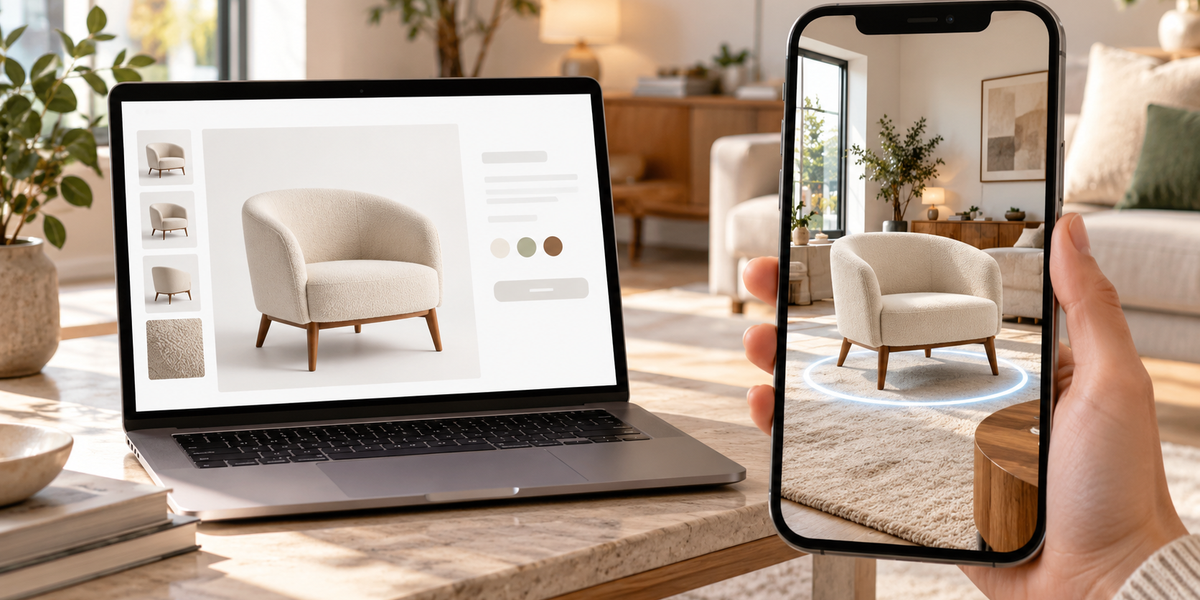
Most ecommerce teams already have product photos.
What they do not have is a practical way to turn those photos into something a shopper can place in their space, inspect with more confidence, and understand at real scale before buying.
That gap is what image to AR is supposed to close.
Not another photoshoot.
Not a native app.
Not a six-month 3D production cycle before the first product page goes live.
A clearer path:
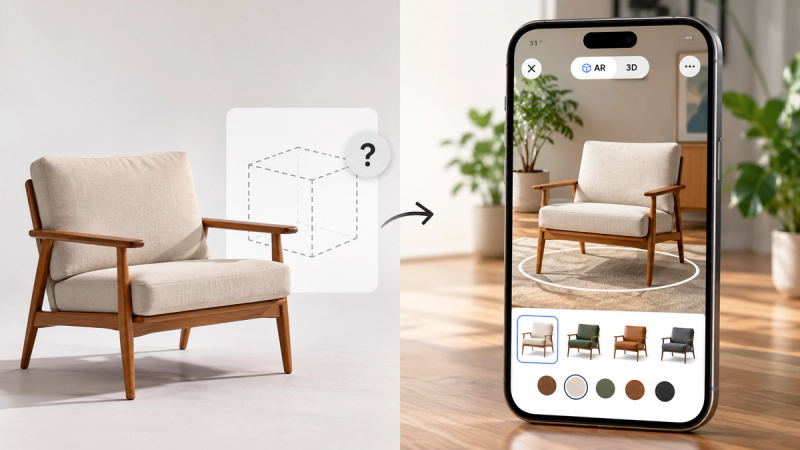
Start with a product image. Turn it into an interactive AR experience customers can open from the browser.
That is the commercial version of image-to-AR. And it is the version that matters for ecommerce.
What “image to AR” actually means
Searchers use “image to AR” for three different things. They are not the same workflow.
1. Photo to 3D to AR
A product photograph is used to generate or reconstruct a 3D representation. That asset is then published as an interactive 3D and AR experience.
2. Flat-image AR placement
A 2D image such as artwork, a poster, a rug, or packaging is shown at approximate scale on a wall or floor through the camera.
3. Image-triggered AR
A camera recognises packaging, signage, or printed artwork and launches digital content over it.
For ecommerce product pages, the useful definition is usually the first one:
Use an existing product image as the starting point for an experience customers can explore in 3D and place in AR.
The value is not the AI step by itself.
The value is removing the complexity between the image you already have and a publishable customer experience.
Why product photos alone still leave money on the table
A strong product photo can sell attention.
It is weaker at answering the questions that stop purchase:
- How big is this in a real room?
- How does the form read from the side or back?
- Will this look right next to what I already own?
- Is this the finish I think it is?
Those questions are why shoppers hesitate, message support, abandon carts, or return products later.
AR does not magically solve every doubt.
But it changes the quality of the decision. The shopper stops imagining the product in their space and starts checking it there.
That is the job image-to-AR should do.
The ecommerce workflow that actually works
A practical image-to-AR path has five stages.
1. Start with the right commercial question
Do not begin with “Can AI make a 3D model?”
Begin with:
What does the shopper need to understand before buying?
Examples:
- Furniture: scale and placement in a room
- Home decor: proportion against a wall or surface
- Packaged goods: form, label, and shelf presence
- Accessories: shape and presence in context
If the image-to-AR output cannot answer that question better than the current gallery, it is not ready for the product page.
2. Choose product images that can survive conversion
Not every photo is a good source.
Better source images usually have:
- a clear product silhouette
- even lighting
- minimal background clutter
- the product fully visible
- accurate colour
- enough resolution to preserve edges and labels
Weaker source images usually have:
- heavy shadows
- cropped parts of the product
- reflective glare that hides form
- lifestyle scenes where the product is partial or occluded
- filters that distort material and colour
If the photo hides the product, the AR experience will inherit that weakness.
3. Convert the image into a usable 3D representation
This is the stage people over-promise.
A product image can be a fast starting point. It is not automatically a perfect digital twin.
Depending on the product and the tool chain, the output may be:
- a simplified 3D mesh generated from the image
- a reconstructed object that needs cleanup
- a usable first version for browser preview and AR placement
What matters commercially is not whether the generation feels magical.
What matters is whether the result is clean enough to publish.
Before you put it on a product page, check:
- Is the silhouette recognisable?
- Are major proportions believable?
- Do materials look close enough for a buying decision?
- Is the file light enough for mobile?
- Can the product sit correctly in AR without floating, sinking, or spinning oddly?
If those answers are weak, revise before publish.
4. Prepare the experience for the product page
This is where many teams stop too early.
A generated model is still only a file.
The product-page experience needs:
- a stable default camera angle
- clean framing
- fast loading behaviour
- an obvious way to launch AR
- fallback content if the model is still loading
- mobile testing on real devices
Shoppers should not have to understand 3D software to use the page.
They should open the product, explore it, and continue toward purchase.
5. Publish where the buying decision already happens
The strongest distribution is not a separate demo link buried in a campaign.
It is the product page itself.
That means:
- embed the experience on the page
- keep the shopper in the same buying journey
- make AR one action, not five
- measure whether people launch it, complete it, and continue to cart
This is the point where image-to-AR becomes ecommerce infrastructure instead of a novelty clip.
Where SwiftXR fits
SwiftXR is the publishing and experience layer.
The useful story is not “AI made a model.”
The useful story is:
Your product image becomes an interactive experience customers can explore in the browser, including AR, without forcing them into an app.
With SwiftXR, teams can:
- start from a product image or existing 3D asset
- configure the experience in a no-code editor
- publish a shareable link or embed
- place the experience on ecommerce pages and websites
- support browser-based AR for products that benefit from spatial context
That keeps the workflow aligned with how commercial teams actually ship:
Create once, publish where you sell, measure what shoppers do next.
Start free: https://swiftxr.io/users/signup
What image-to-AR is good at
Image-to-AR is strongest when the product needs spatial confidence more than microscopic material accuracy.
Strong fits include:
- furniture and home objects
- decor and lifestyle products
- packaging where shape and presence matter
- early catalogue coverage before full 3D production is ready
- fast pilots across a small set of SKUs
It is especially useful when the alternative is waiting months for perfect models while the product page stays flat.
What image-to-AR should not overclaim
This is where ecommerce teams get into trouble.
Do not promise the following unless the live product has been verified:
- perfect reconstruction from one photo in every category
- true-to-millimetre scale for every generated asset
- perfect hidden-side accuracy when the source image never showed those sides
- guaranteed conversion lift
- guaranteed return reduction
A better standard is simpler and stronger:
Help the shopper understand the product more clearly than photos alone, then measure whether that improves the journey.
If a product needs exact engineering fidelity, CAD-origin assets or controlled 3D production may still be the better source. Image-to-AR is a speed and coverage tool, not a replacement for every high-precision pipeline.
How to run a smart pilot
Do not convert the entire catalogue on day one.
Start with 5 to 10 products where photos already create hesitation.
For each product, test:
Can a shopper find the experience on the page?
Does it load acceptably on mobile?
Can they understand the product better after interacting?
Can they launch AR without friction?
Do they continue toward cart, enquiry, or another commercial action?
Also compare:
- products with image-to-AR against matched products without it
- mobile completion versus desktop
- launch rate versus completion rate
- support questions before and after
A small pilot gives clearer evidence than a broad rollout with no baseline.
Image to AR vs traditional 3D production
These are not enemies.
Traditional 3D production wins when:
- the product is complex
- materials must be exact
- configuration logic is detailed
- the asset will be reused across many campaigns and channels
Image-to-AR wins when:
- speed matters
- you need broader coverage quickly
- the main buyer question is visual confidence and spatial context
- the team wants a publishable experience without waiting for a full production cycle
Many teams will use both:
- image-to-AR for faster coverage and testing
- higher-fidelity 3D for hero SKUs, configurators, and long-term catalogue quality
That is a mature content system, not a compromise.
What to put on the page around the experience
AR should not sit alone.
Support it with:
- clear product dimensions
- honest material descriptions
- one strong default view
- a short line that tells the shopper what the experience is for
- a simple launch label such as “View in your space”
The page still has to sell.
The immersive layer helps the shopper verify.
A practical checklist before you publish
Use this before any image-derived AR experience goes live:
- Source image is clean and product-complete
- Output silhouette is recognisable
- Scale behaviour has been checked on a phone
- File weight is acceptable on mobile
- AR launch is obvious
- Experience works in the real product-page layout
- Fallback content exists while loading
- Claims on the page match what the experience can actually show
- Analytics can track launches and completions
If those boxes are not checked, keep it in pilot.
Frequently asked questions
What is image-to-AR?
It is a workflow that starts with a product image and results in an augmented reality experience customers can open, often after the image is turned into a usable 3D representation for browser and AR viewing.
Is image-to-AR the same as image-to-3D?
No. Image-to-3D creates a 3D asset. Image-to-AR is only complete when that asset becomes an experience people can view in augmented reality.
Can one product photo be enough?
Sometimes for a first version. Clean, well-lit, fully visible product images work better. Difficult materials, hidden sides, and poor lighting reduce quality.
Does image-to-AR replace professional 3D modelling?
Not for every product. It can accelerate coverage and pilots. High-precision catalogues, complex configurators, and brand-critical hero assets may still need controlled 3D production.
Do customers need an app?
They should not. The stronger ecommerce setup is browser-based AR from the product page on supported devices.
Where should the experience live?
On the product page or another high-intent buying surface. A disconnected demo link is weaker than an experience inside the purchase journey.
How do you know if it is working?
Track whether shoppers launch the experience, complete it, and continue toward cart, enquiry, or purchase. Compare against similar products without the experience.
The real point of image-to-AR
The breakthrough is not that a photo can become a model.
The breakthrough is that ecommerce teams can move faster from existing catalogue assets to interactive product experiences without waiting for a full production bottleneck.
Photos capture the product.
AR helps the shopper test the product in context.
Publishing is what makes that useful on a real website.
SwiftXR is built for that last mile: turning product assets into interactive 3D and AR experiences customers can open in the browser, on the pages where they already decide.
Do not leave the product stuck as a still image if the buying decision needs more than a still image.
Start free and publish your first experience: https://swiftxr.io/users/signup