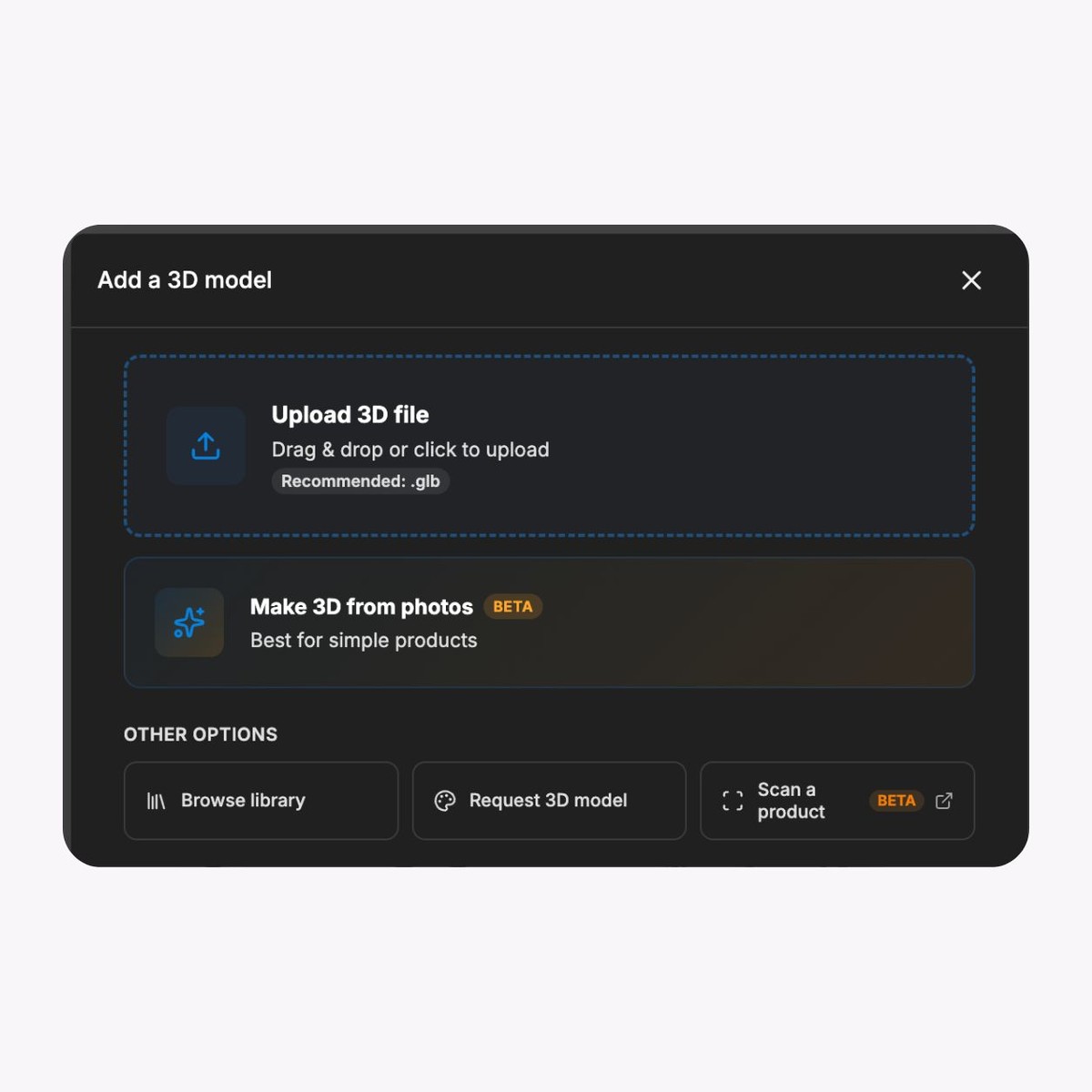
Import approved 3D models
Bring supported model formats into the SwiftXR browser editor. Keep the project tied to the approved product, equipment, or spatial source so trainers can review the correct revision before publication.

Use SwiftXR to turn approved 3D models into guided product, equipment, and spatial learning experiences with hotspots, controlled views, share links, embeds, and optional AR or Web VR.
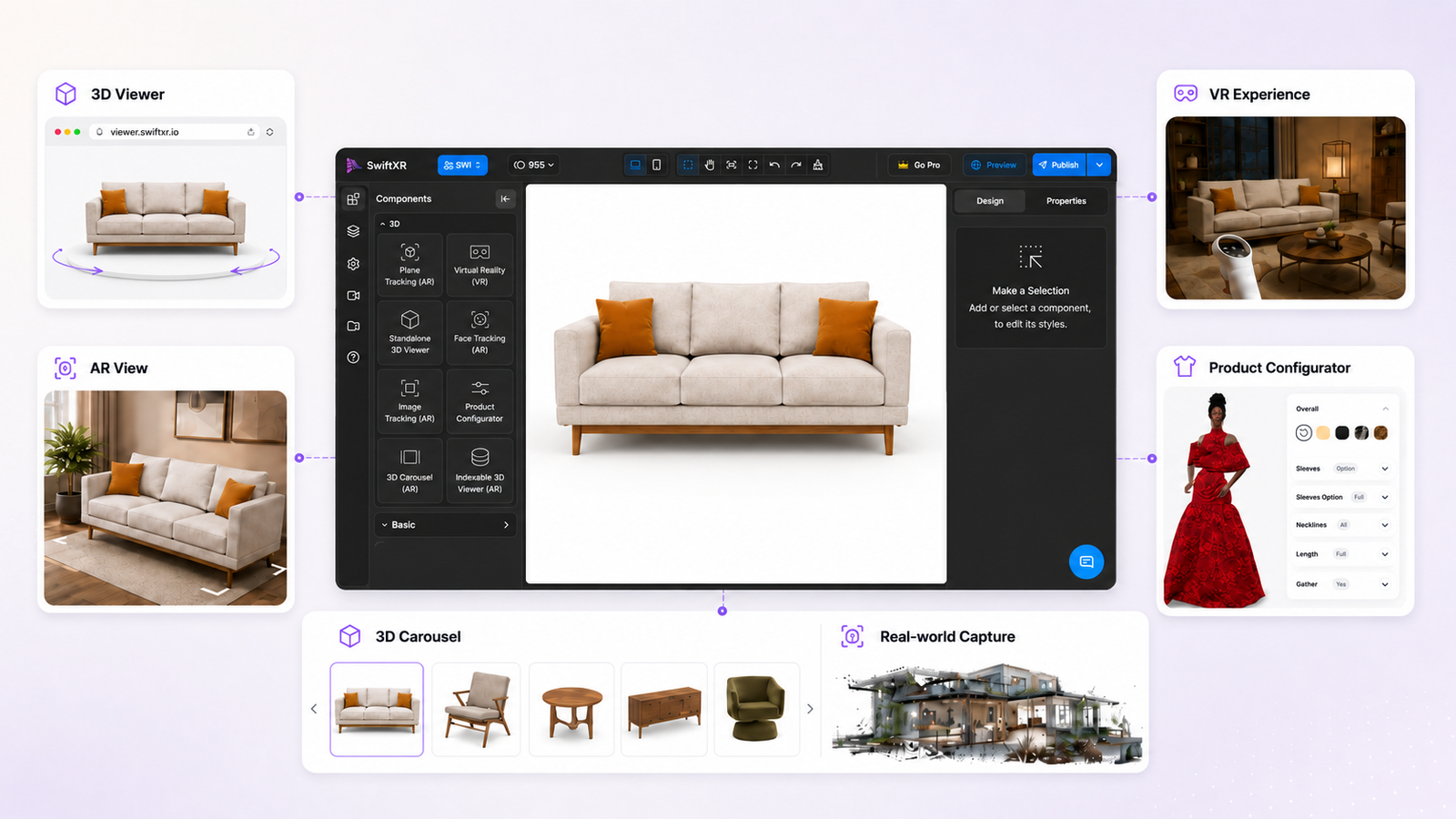
Start with an approved source model, guide attention to the details that matter, and publish the experience through the browser route that fits your training plan.



Bring supported model formats into the SwiftXR browser editor. Keep the project tied to the approved product, equipment, or spatial source so trainers can review the correct revision before publication.
Set camera angles and add hotspots to organise a walkthrough around specific parts or concepts. Keep hotspot copy factual, concise, and aligned with the learning objective.
Publish a responsive 3D experience that learners can open on desktop, tablet, or mobile devices. Test the approved experience on the devices, browsers, and network conditions your audience will use.
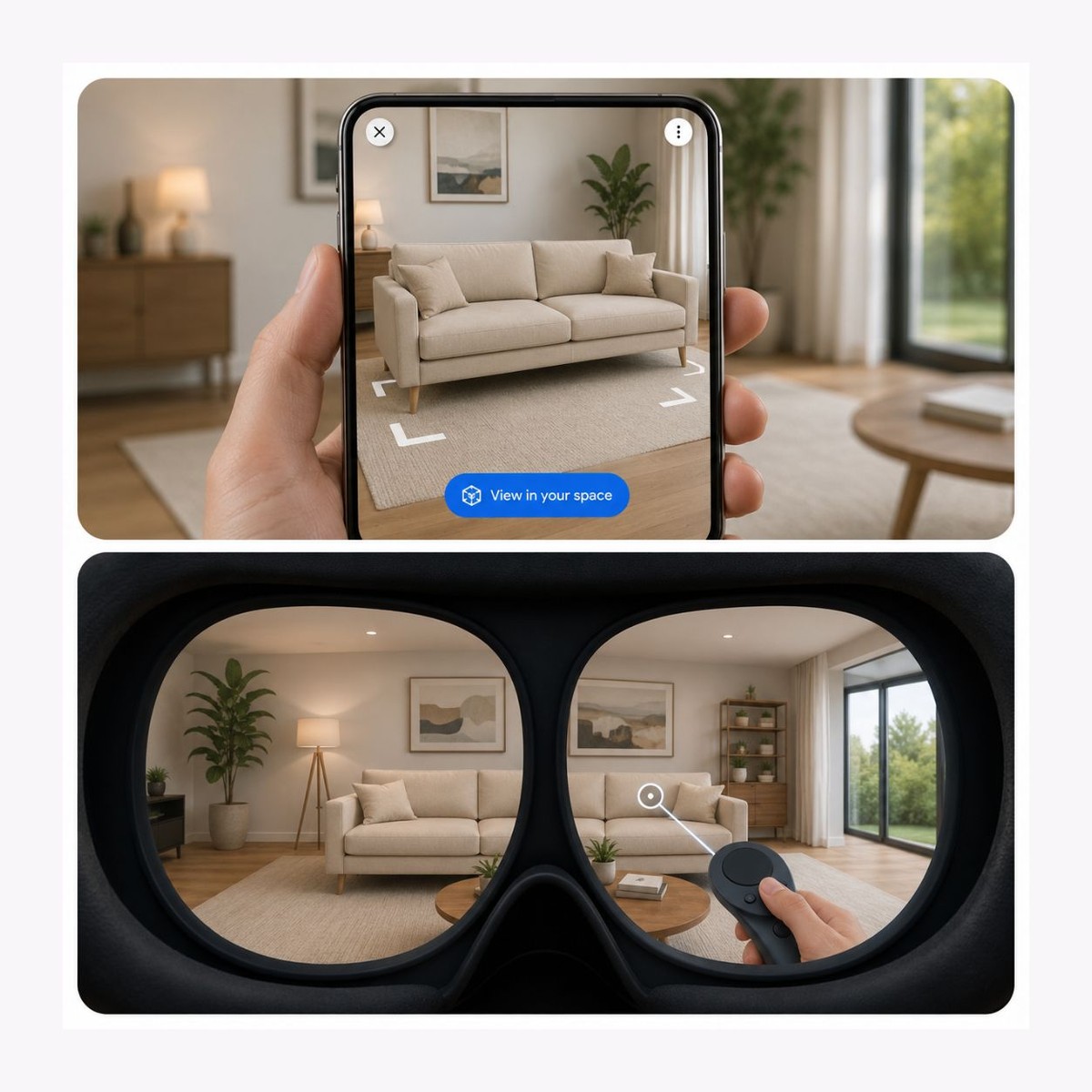
Use 3G VR & AR when spatial context supports the learning objective and the target device supports the chosen route. Provide accessible alternatives for essential information and do not make the spatial mode the only way to complete a critical task.
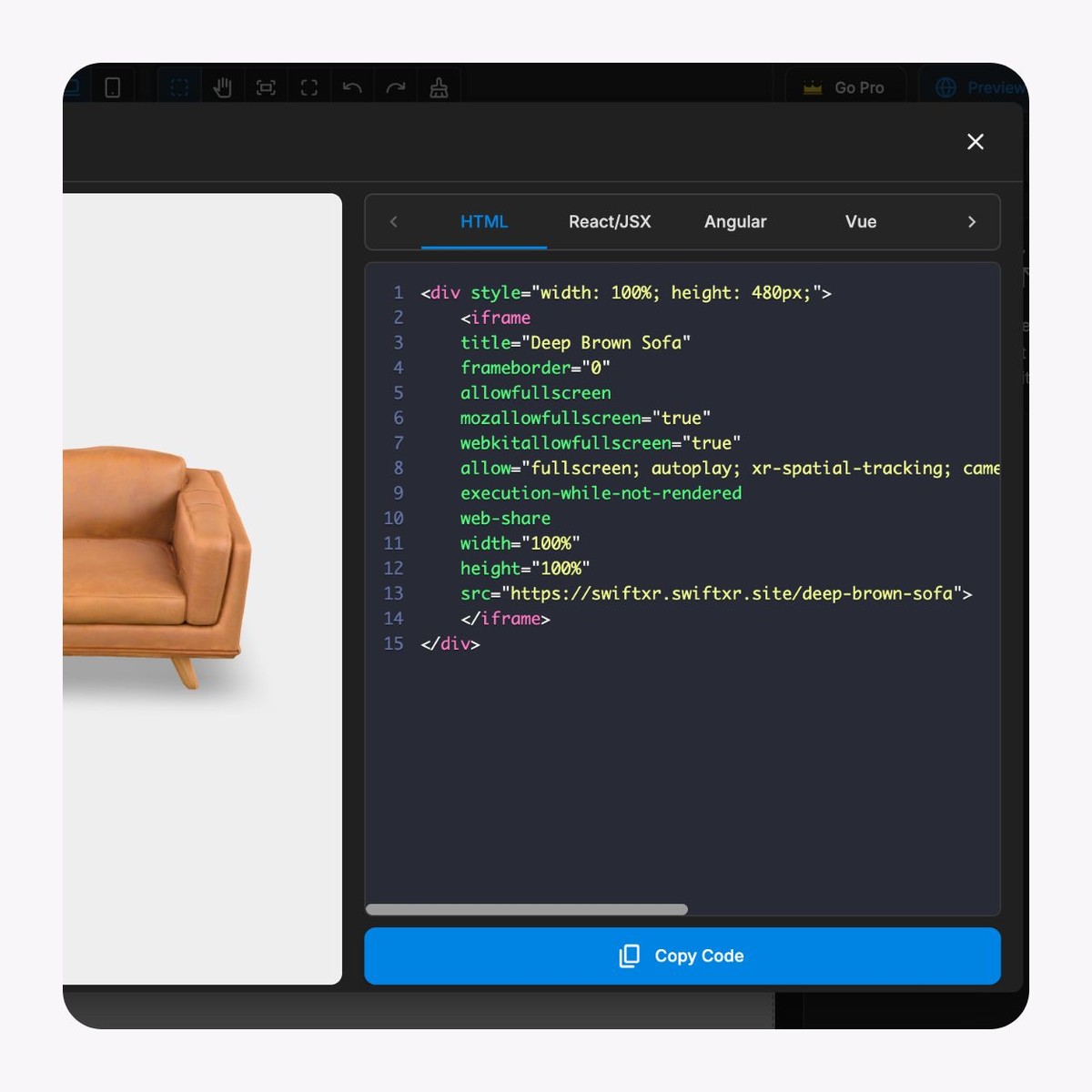
Send an approved browser link for a guided session or add the experience to a training portal with an iframe embed. Keep supporting instructions, ownership, and required learning content in the surrounding page.
Use available views, engagement, and interaction data as one input when reviewing reach and content use. Combine it with trainer feedback and your own learning evaluation rather than treating interaction data as proof of comprehension or competence.
Define the objective, prepare the experience, then test the real delivery route before wider use.
01
Define the objective and source
Choose one product, equipment, or spatial task. Identify the audience, required information, approved 3D source, subject owner, device context, and accessible alternative before building interactions.
02
Build the guided experience
Import the supported model, set the initial view and lighting, then add only the hotspots, camera views, AR scale, or VR path needed for the objective. Have the subject owner verify every instruction and product detail.
03
Test, publish, and govern
Test keyboard operation, device behaviour, fallback content, links, and the published destination. Release a share link or embed only after approval, then record project ownership, source revision, and the process for future updates.
Rotate and zoom around the model to review the interaction pattern that can support a guided product or equipment walkthrough.
Use one approved experience as part of a wider training plan, with subject review and accessible supporting information.
Product knowledge onboarding
Help new staff inspect product form, components, or approved options through a browser experience alongside specifications and trainer guidance.
Equipment orientation
Guide attention to named equipment areas before supervised practical instruction. Do not use the experience as a substitute for required safety procedures, certification, or hands-on assessment.
Sales and partner enablement
Give sales teams or partners a controlled visual walkthrough they can open from a link while keeping claims and product details aligned with approved materials.
Spatial walkthroughs
Use browser 3D or Web VR to explain a layout or sequence where spatial context matters, with a non-spatial alternative for essential information.
What to know before getting started with SwiftXR.
SwiftXR projects are lightweight, interactive experiences that you can create, share, and embed on your website. No prior 3D or immersive development experience is needed.
Platform credits are the unit of usage on SwiftXR. Each interaction with a 3D or AR experience consumes credits based on complexity and duration.
No. You can update your projects as many times as you want without any extra charges.
A project view is counted each time a unique session loads and interacts with your SwiftXR experience.
If you exceed your plan's included views, additional usage is billed at your plan's overage rate.
Yes. SwiftXR supports multiple 3D objects, hotspots, animations, and AR triggers within a single project.
What our customers say.
See how brands use SwiftXR to help customers understand products before they buy.
Retail (air treatment products)
DUUX
Retail (automated laundry racks)
GoodLiving
Real Estate
Cozy Homeva
Manufacturing
TopMetalPro
Furniture
Taeillo Nigeria
Cast Stone Fireplaces
ARCH Casting, Co.
Wooden House Construction
Ebat Yapı ve Ahşap Sanatları
3D Construction Printing
Versarien Construction
Signage & Environmental Graphics
Clark Technical Design
Central Salone
E Commerce
Central Salone
Art
SlickcityPrintsAfrica