
SwiftXR Logo

Give your trade-show demo a life beyond the booth

Use SwiftXR to build a browser-based 3D product demo your team can present at the stand and share afterwards. Help attendees inspect a product, explore approved options, and return to the same experience when the event is over.

Banner
For event and field-marketing teams

Six ways to support the booth conversation

Start with the product questions your sales team expects at the event. Use approved assets and tested devices, then give attendees a clear route back to the demonstration. SwiftXR supplies the visual experience; your team owns the event setup and follow-up process.

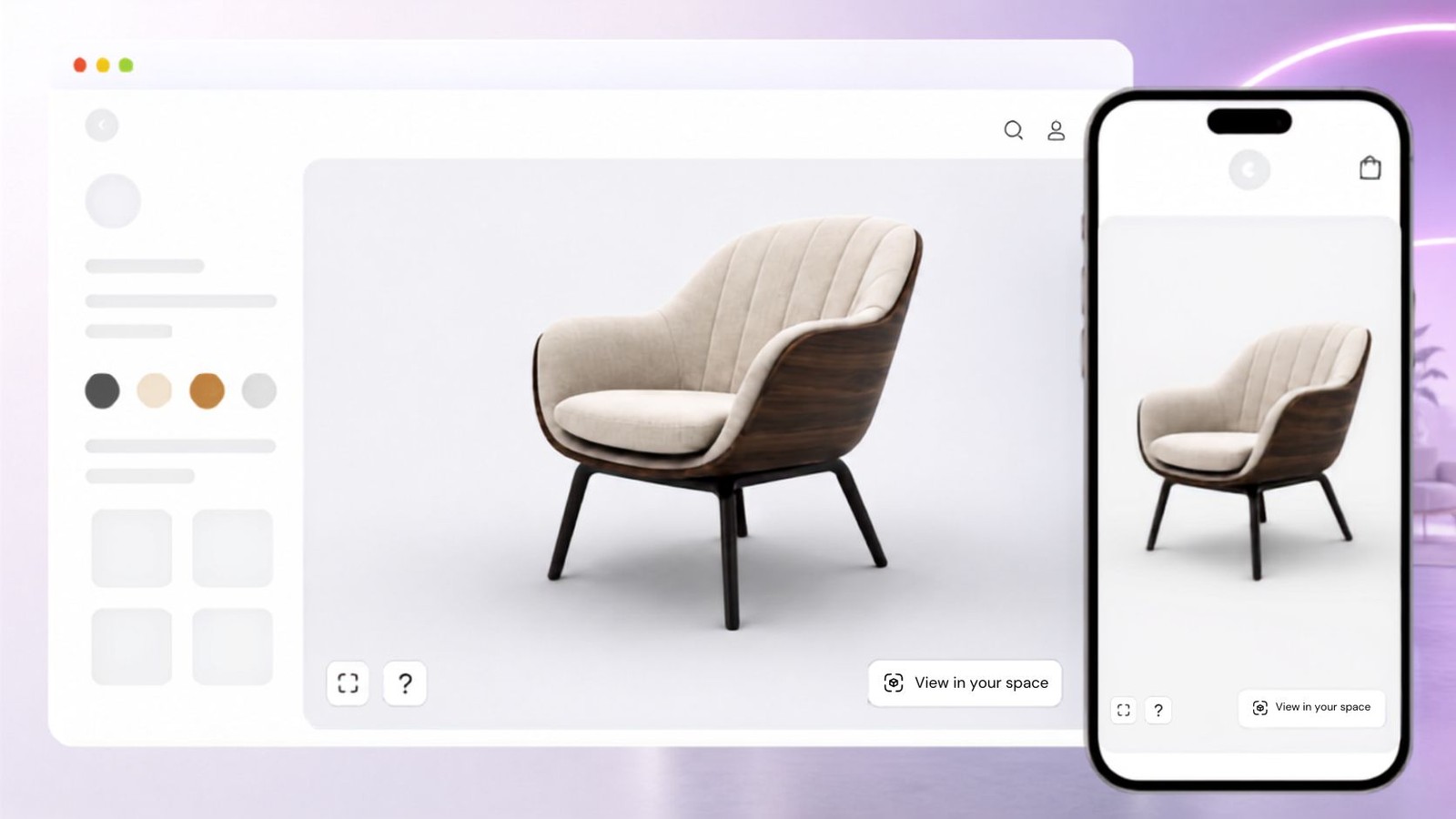
SwiftXR source artwork showing a product viewer on desktop, tablet, and phone.

Show the angle a visitor asks for

Let the presenter rotate and zoom around an approved model during the conversation. Use it to show visible details that are awkward to explain from one printed image, while keeping specifications available separately.

Published SwiftXR visual editor screenshot showing product interaction controls and a hotspot.

Prepare a repeatable demonstration

Set the camera, lighting, and hotspots in the visual editor around the questions booth staff need to answer. Rehearse the approved presentation with the team before opening day.

Published SwiftXR configurator interface showing an appearance option and material controls.

Compare approved finishes live

Use supported colour and material changes when the conversation concerns visible options. Limit the demo to the approved range and keep technical compatibility and current commercial terms in your maintained product information.

SwiftXR source artwork illustrating an armchair viewed in a room using mobile AR.

Offer an optional AR view

Let visitors try a supported AR product view when the device and available space make it useful. Check scale before the event and keep the browser viewer available when AR is unsuitable.

Published SwiftXR embed interface showing the website snippet and product experience URL.

Continue with a shareable experience

Share the published link in your follow-up or embed the experience on an event landing page. Your team can place that URL behind a QR code using its existing tools and test the printed route before the show.

Published SwiftXR analytics dashboard with example data, not results from a trade-show campaign.

Review engagement after the event

Use the available experience analytics to review views and interactions. Pair this with your own event and sales records; an interaction count alone does not establish an identified lead or revenue contribution. Image shows example interface data.

Before the doors open

Prepare the product, rehearse the booth, test the follow-up

Treat the demo as part of the event plan. Use a reliable connection, test the actual devices, and keep an approved static or video backup. Do not assume offline operation or dedicated kiosk management.

01

Choose one useful product story

Bring an approved 3D model, the details visitors need to inspect, and any approved visible options. Remove confidential geometry and claims that the model cannot prove.

02

Build and rehearse the experience

Prepare the viewer, hotspots, and optional configuration or AR route. Ask booth staff to answer representative buyer questions on the intended screen and network. Confirm that a new visitor can start cleanly.

03

Publish and check every visitor route

Test the share link, landing-page embed, and any printed QR code. Keep lead collection and consent in your existing event tools. Agree who sends follow-up and checks that the demo stays relevant after the show.

Try the underlying experience

Explore a live SwiftXR product viewer

Rotate and zoom around this sample product to evaluate the browser interaction. This is a platform example, not a trade-show customer case study or proof of offline kiosk support.

Where it fits

One event, several product conversations

Use a focused browser demo when it helps the visitor understand the product. Physical samples, technical documents, and an accessible non-interactive route still matter.

A product that is not at the stand

Use an approved model to introduce an absent product and show its visible form. Do not present the model as proof of real-world operation, safety, or installation clearance.

A dealer comparing the range

Show supported finish choices in context, then continue the specification conversation with approved product information. Confirm configuration requirements for your own range.

A buyer sharing the discussion internally

Send the same experience link with a short explanation of the product discussed and a clear contact route. Keep any customer details out of a public demo URL.

TESTIMONIALS

What our customers say.

See how brands use SwiftXR to help customers understand products before they buy.

DUUX logo

Retail (air treatment products)

With SwiftXR's AR/VR tool, you can interactively experience our product by scanning a QR code on our eco-friendly, minimal-print packaging. This lets you virtually place the product in your space before purchasing, ensuring it complements your décor and fits perfectly.

DUUX

GoodLiving logo

Retail (automated laundry racks)

As a leader in the Singapore Automated Laundry Racks market, SwiftXR enabled us showcase our products to customers in an creative and interactive manner.

GoodLiving

Cozy Homeva logo

Real Estate

SwiftXR has provided Cozy Homeva with a seamless experience of implementing our 3D models with its drag and drop features

Cozy Homeva

TopMetalPro logo

Manufacturing

SwiftXR has enhanced our customers appreciation and engagement with our furnitures. I really enjoyed working with SwiftXR

TopMetalPro

Taeillo Nigeria logo

Furniture

We recently had the pleasure of integrating SwiftXR into my online store which has completely transformed the shopping experience for our customers.

Taeillo Nigeria

ARCH Casting, Co. logo

Cast Stone Fireplaces

SwiftXR has helped us bring our custom fireplaces to life for clients. It's been incredibly useful in visualizing our cast stone designs before production, streamlining approvals and enhancing customer confidence.

ARCH Casting, Co.

Ebat Yapı ve Ahşap Sanatları logo

Wooden House Construction

Integrating 3D models on our site has transformed the way customers view our wooden house designs. It's an excellent solution for showcasing large projects interactively and elevates our entire online presence.

Ebat Yapı ve Ahşap Sanatları

Versarien Construction logo

3D Construction Printing

SwiftXR has been instrumental in helping us share our large-scale 3D-printed construction designs. Clients can explore how each structure fits into their environment, improving decision-making and customer satisfaction.

Versarien Construction

Clark Technical Design logo

Signage & Environmental Graphics

We use SwiftXR to present our signage and branded environment projects in interactive 3D, making it easier for clients and teams to understand complex designs. It has improved our communication, accelerated feedback loops, and enhanced social media engagement.

Clark Technical Design

Central Salone

E Commerce

SwiftXR totally rocked my online shopping world! I used it to showcase my favorite tote bags in 3D and AR, and I'm blown away.

Central Salone

SlickcityPrintsAfrica logo

Art

Recently, I came across the SwiftXR 3D Viewer App, and I must say, it has revolutionized the way I showcase my creations on my website.

SlickcityPrintsAfrica

FAQ

Common questions.

What to know before getting started with SwiftXR.

SwiftXR projects are lightweight, interactive experiences that you can create, share, and embed on your website. No prior 3D or immersive development experience is needed.

Platform credits are the unit of usage on SwiftXR. Each interaction with a 3D or AR experience consumes credits based on complexity and duration.

No. You can update your projects as many times as you want without any extra charges.

A project view is counted each time a unique session loads and interacts with your SwiftXR experience.

If you exceed your plan's included views, additional usage is billed at your plan's overage rate.

Yes. SwiftXR supports multiple 3D objects, hotspots, animations, and AR triggers within a single project.

SwiftXR Logo

SwiftXR ©2026 / ALL RIGHTS RESERVED